Choose the active vessel and condition, enter measured values carefully, correct highlighted issues, calculate, compare with approved criteria and save the record. Replace all example values before real work.
Before you start
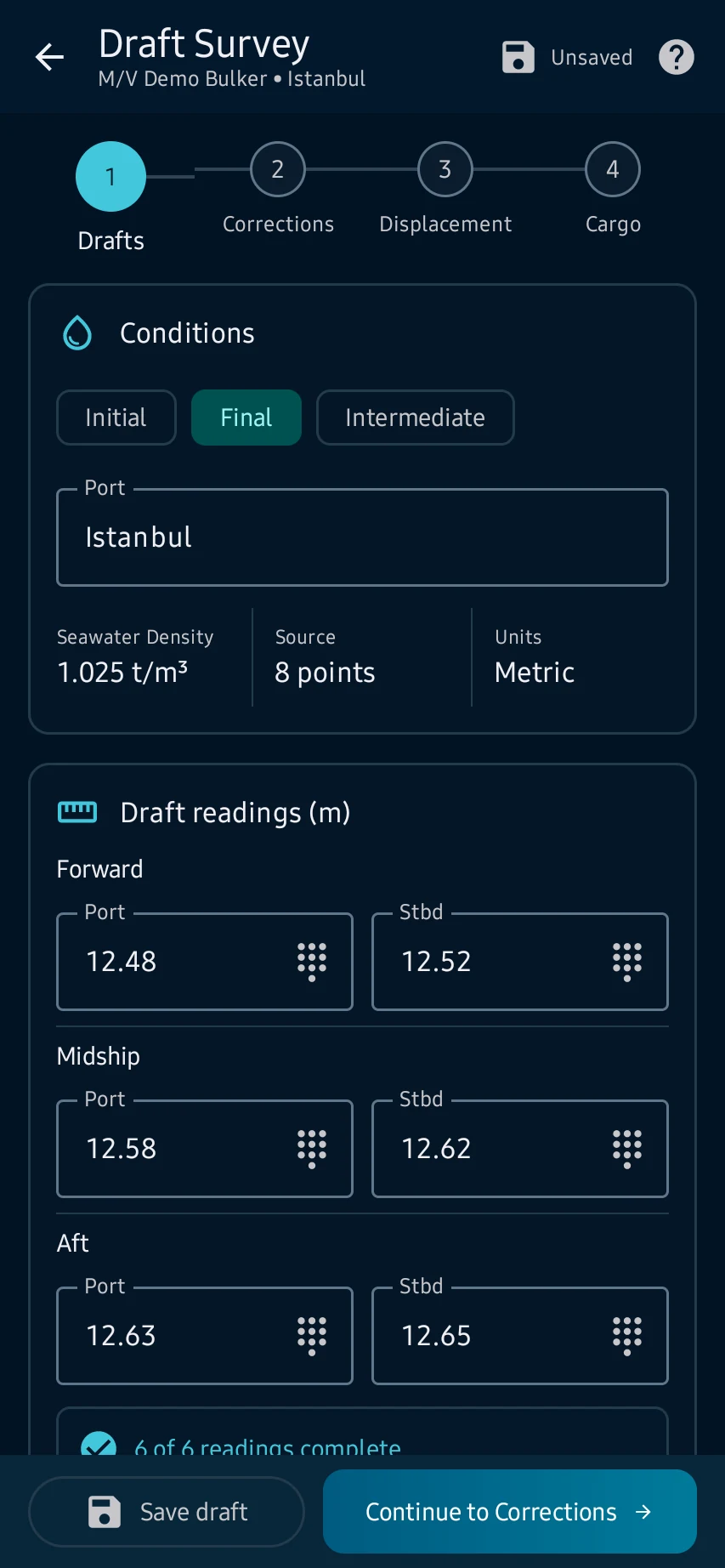
Drafts: open Stability → Draft Survey, select the correct vessel and survey type, then enter the port and all six forward, midship and aft draft readings.
App steps
Drafts: open Stability → Draft Survey, select the correct vessel and survey type, then enter the port and all six forward, midship and aft draft readings.
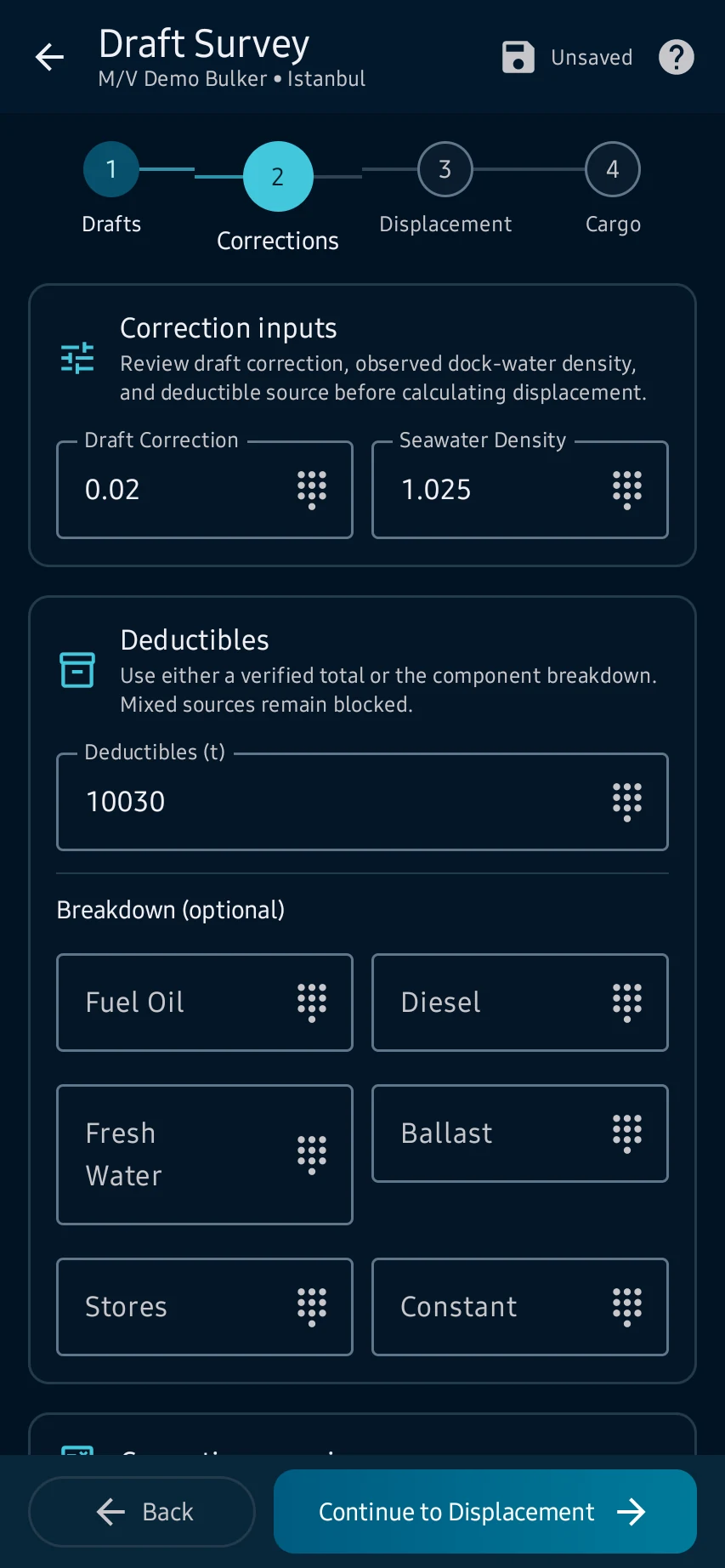
Corrections: review the mean-draft and trim correction, enter dock-water density and use only applicable, source-backed deductibles.
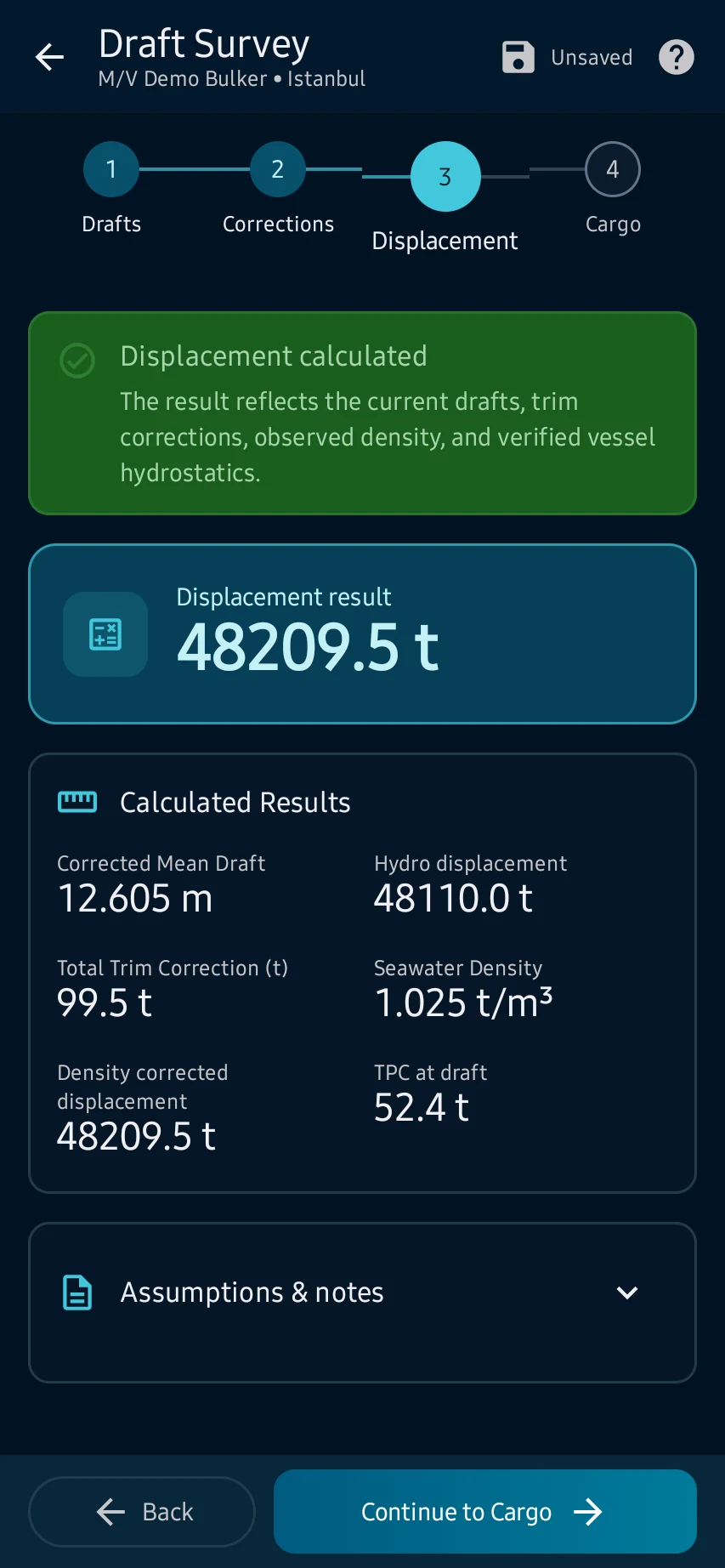
Displacement: continue after validation and review corrected mean draft, trim, density correction, hydrostatic interpolation and computed displacement.
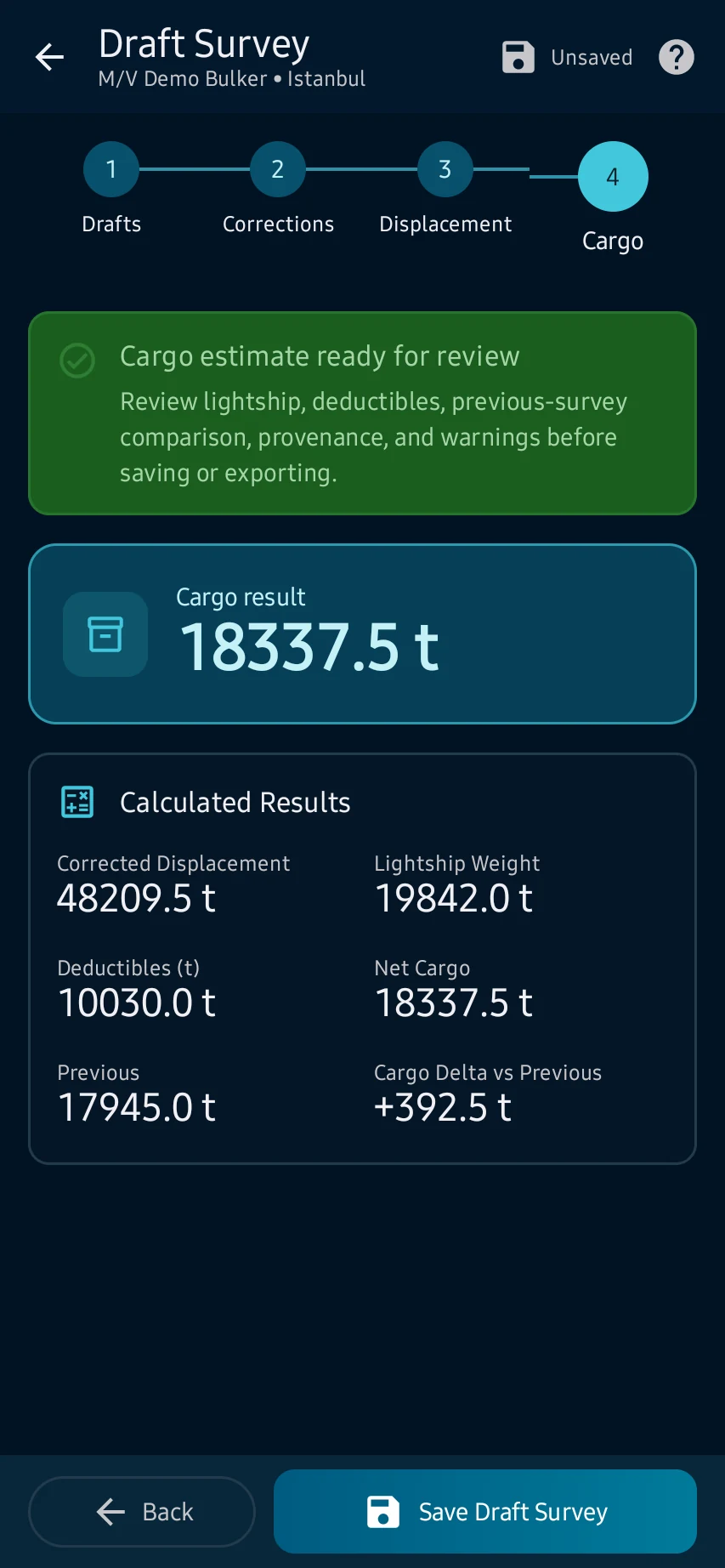
Cargo: compare displacement with lightship, deductibles and any previous survey; resolve warnings, verify against approved sources, then save or export.
See the main screens
01
Drafts: open Stability → Draft Survey, select the correct vessel and survey type, then enter the port and all six forward, midship and aft draft readings.
02
Corrections: review the mean-draft and trim correction, enter dock-water density and use only applicable, source-backed deductibles.
03
Displacement: continue after validation and review corrected mean draft, trim, density correction, hydrostatic interpolation and computed displacement.
04
Cargo: compare displacement with lightship, deductibles and any previous survey; resolve warnings, verify against approved sources, then save or export.
Cargo: compare displacement with lightship, deductibles and any previous survey; resolve warnings, verify against approved sources, then save or export.
CaptainCalc is decision support. It never replaces approved stability data, loading computers, ECDIS, official publications, procedures or professional judgment.
Get CaptainCalc on Google Play
Freemium keeps essential online tools available with ads. Premium removes ads, raises limits and unlocks the complete offline professional workspace.