
STEP-BY-STEP GUIDE

Use Captain's Lounge responsibly

A moderated, text-only professional discussion space for ports, routes, weather, cargo, stability and app tips, with rules, reporting, blocking and moderation.

Before you start

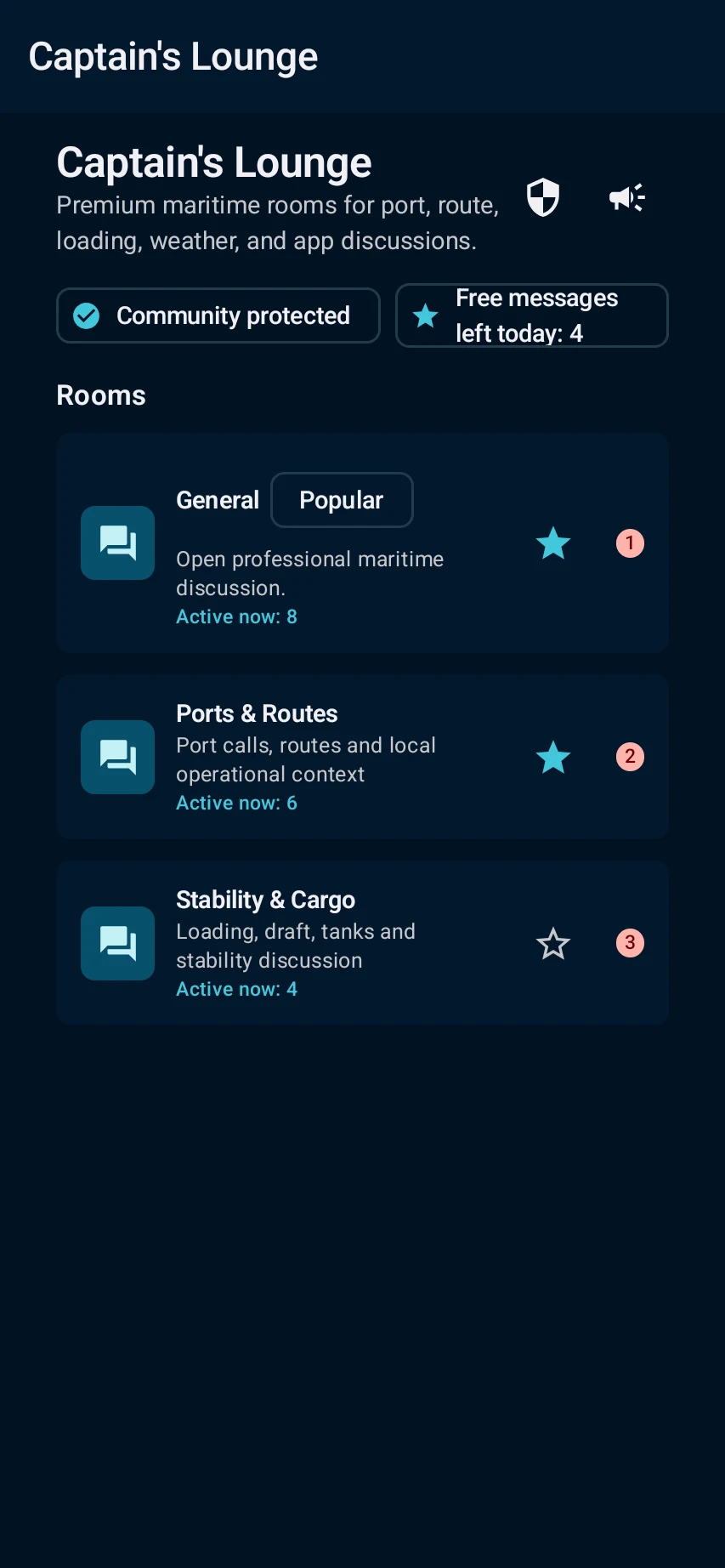
Open Captain's Lounge, review the public-room purpose, unread count, community-protection status and free-message allowance, then choose the relevant room.
App steps

  1. Open Captain's Lounge, review the public-room purpose, unread count, community-protection status and free-message allowance, then choose the relevant room.
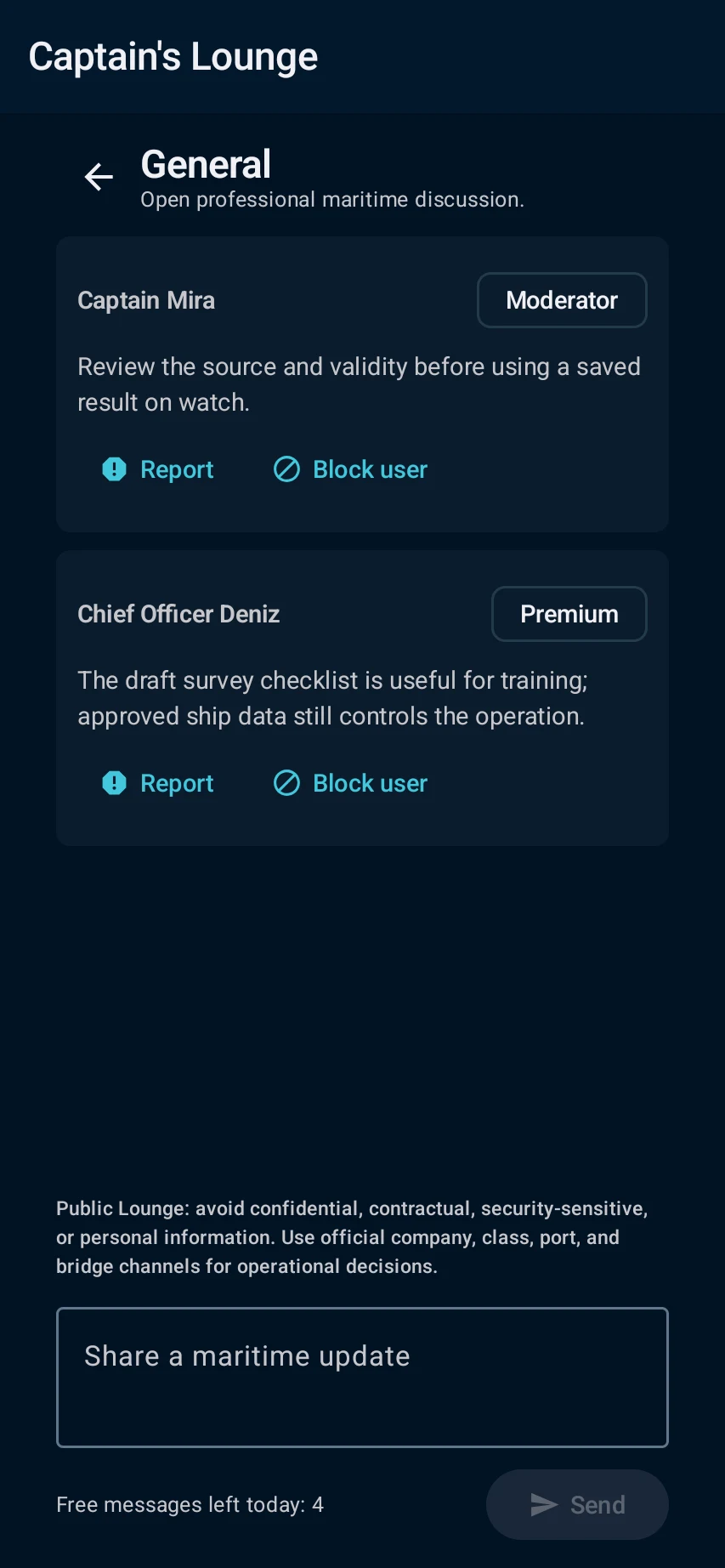
  2. Read the room notice before posting; never share private, contractual or safety-sensitive data. Use report/block controls for abuse and official company, class, port or bridge channels for operational decisions.

See the main screens

01

Open Captain's Lounge, review the public-room purpose, unread count, community-protection status and free-message allowance, then choose the relevant room.

Use Captain's Lounge responsibly: Open Captain's Lounge, review the public-room purpose, unread count, community-protection status and free-message allowance, then choose the relevant room.
02

Read the room notice before posting; never share private, contractual or safety-sensitive data. Use report/block controls for abuse and official company, class, port or bridge channels for operational decisions.

Use Captain's Lounge responsibly: Read the room notice before posting; never share private, contractual or safety-sensitive data. Use report/block controls for abuse and official company, class, port or bridge channels for operational decisions.

What you'll see

Read the room notice before posting; never share private, contractual or safety-sensitive data. Use report/block controls for abuse and official company, class, port or bridge channels for operational decisions.

CaptainCalc is decision support. It never replaces approved stability data, loading computers, ECDIS, official publications, procedures or professional judgment.

Get CaptainCalc on Google Play

Freemium keeps essential online tools available with ads. Premium removes ads, raises limits and unlocks the complete offline professional workspace.

Get it on Google Play