
STEP-BY-STEP GUIDE

Manage privacy, ads and Premium

Analytics controls are in Settings. GDPR consent is requested only where legally required; outside those regions personalized advertising defaults on. Premium users can create encrypted snapshots and restore them on the same account; backup is not live sync.

Before you start

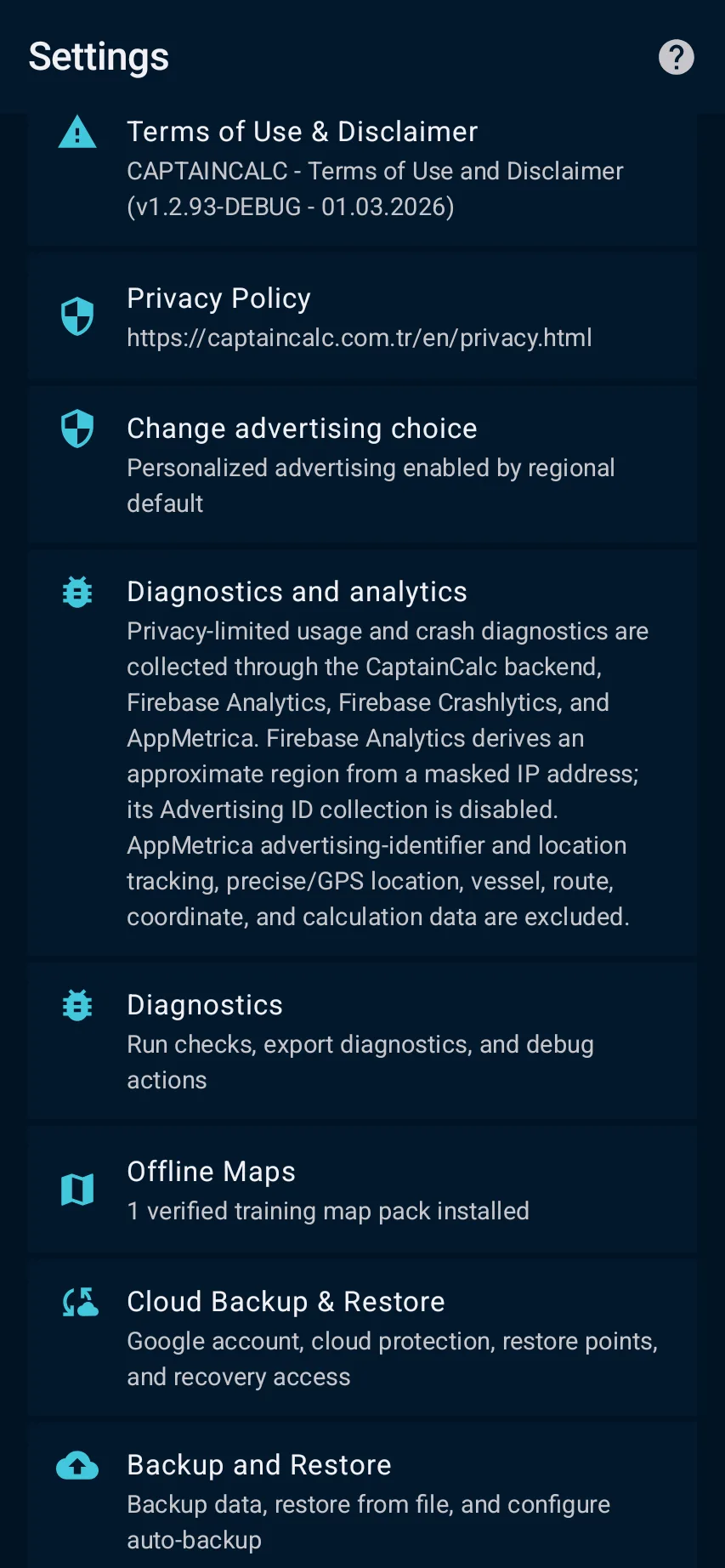
Open Settings → Privacy and review the advertising choice, diagnostics/analytics control, Terms and Privacy Policy that apply to your region; consent rules can differ and non-personalized ads may still be served.
App steps

  1. Open Settings → Privacy and review the advertising choice, diagnostics/analytics control, Terms and Privacy Policy that apply to your region; consent rules can differ and non-personalized ads may still be served.
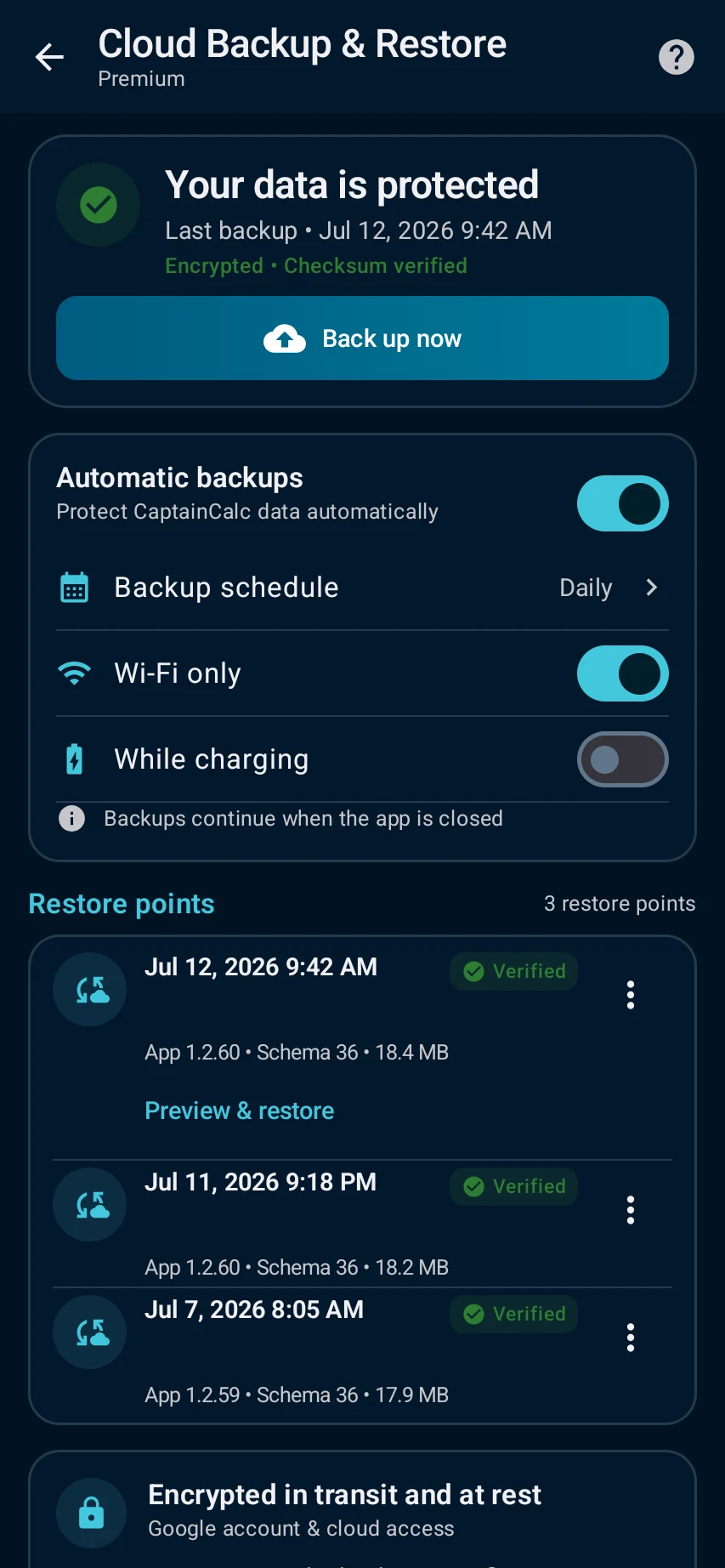
  2. Review Cloud Backup and local backup separately: Premium cloud backup creates encrypted restore snapshots for the same account, is not live sync, supports up to 10 points, and must show a successful current status before you rely on restore.

See the main screens

01

Open Settings → Privacy and review the advertising choice, diagnostics/analytics control, Terms and Privacy Policy that apply to your region; consent rules can differ and non-personalized ads may still be served.

Manage privacy, ads and Premium: Open Settings → Privacy and review the advertising choice, diagnostics/analytics control, Terms and Privacy Policy that apply to your region; consent rules can differ and non-personalized ads may still be served.
02

Review Cloud Backup and local backup separately: Premium cloud backup creates encrypted restore snapshots for the same account, is not live sync, supports up to 10 points, and must show a successful current status before you rely on restore.

Manage privacy, ads and Premium: Review Cloud Backup and local backup separately: Premium cloud backup creates encrypted restore snapshots for the same account, is not live sync, supports up to 10 points, and must show a successful current status before you rely on restore.

What you'll see

Review Cloud Backup and local backup separately: Premium cloud backup creates encrypted restore snapshots for the same account, is not live sync, supports up to 10 points, and must show a successful current status before you rely on restore.

CaptainCalc is decision support. It never replaces approved stability data, loading computers, ECDIS, official publications, procedures or professional judgment.

Get CaptainCalc on Google Play

Freemium keeps essential online tools available with ads. Premium removes ads, raises limits and unlocks the complete offline professional workspace.

Get it on Google Play