Piliin ang vessel/condition, ilagay ang measurements, ayusin ang warnings, ihambing sa approved criteria at i-save ang record.
Bago magsimula
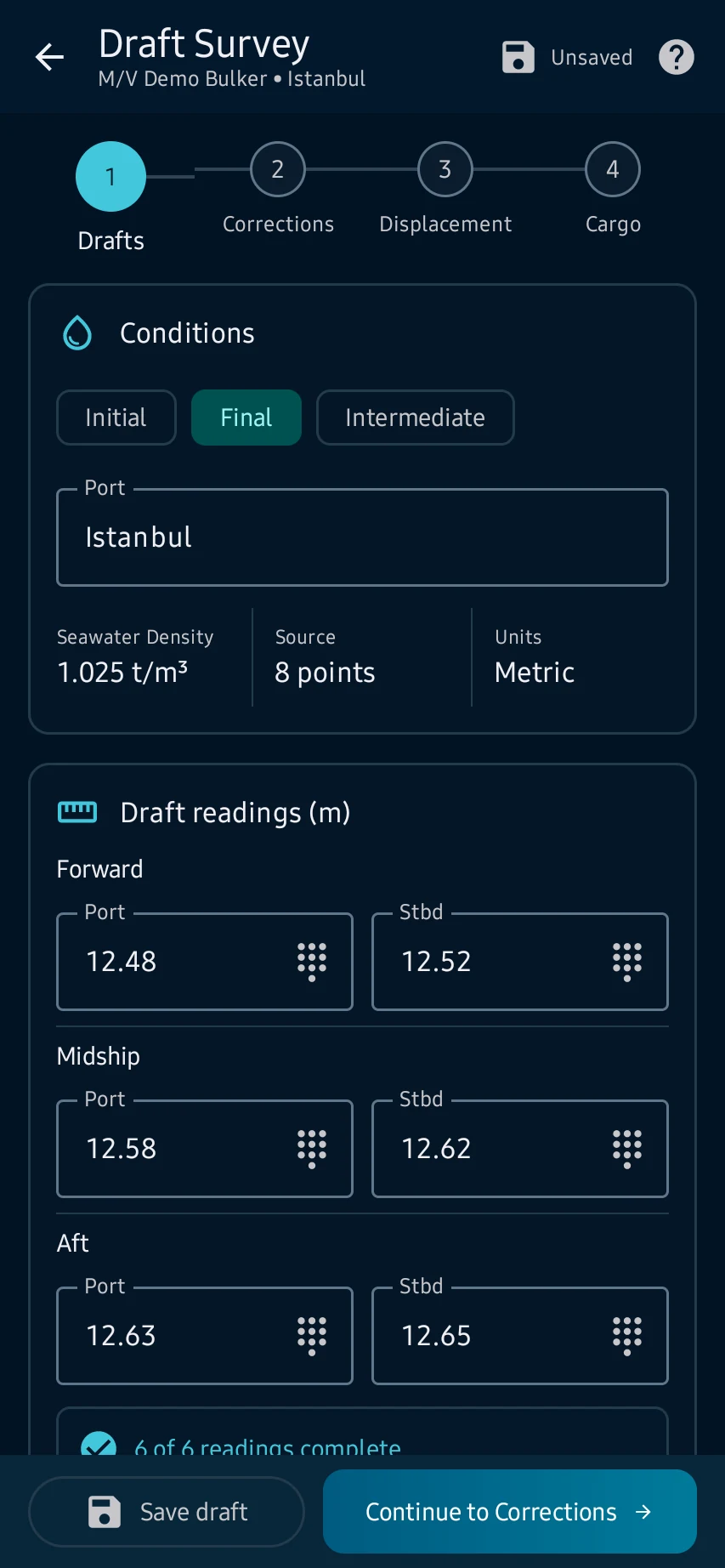
Drafts: buksan ang Stability → Draft Survey, piliin ang tamang vessel at survey type, pagkatapos ay ilagay ang port at anim na forward, midship at aft draft readings.
Mga hakbang sa app
Drafts: buksan ang Stability → Draft Survey, piliin ang tamang vessel at survey type, pagkatapos ay ilagay ang port at anim na forward, midship at aft draft readings.
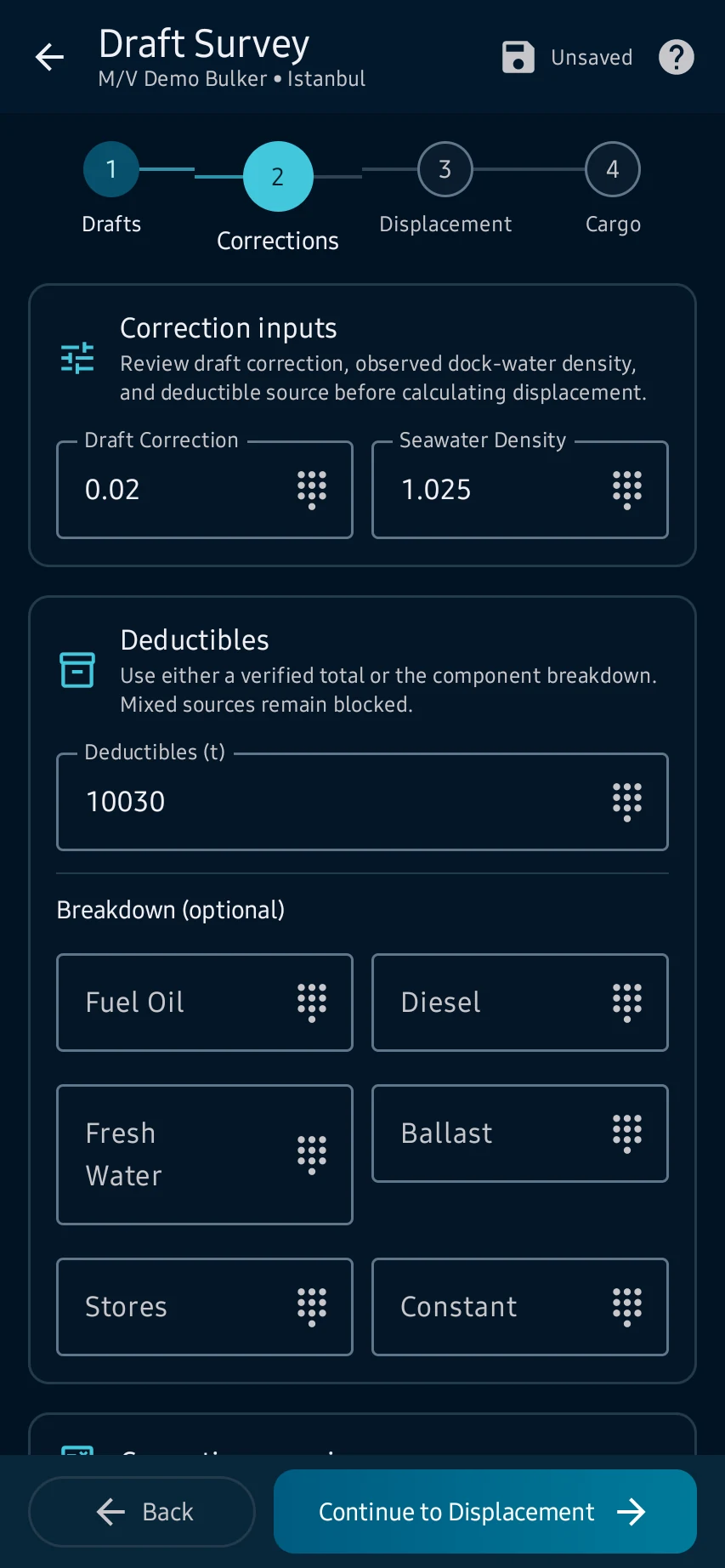
Corrections: suriin ang mean draft at trim correction, ilagay ang dock-water density at gumamit lamang ng applicable at source-backed deductibles.
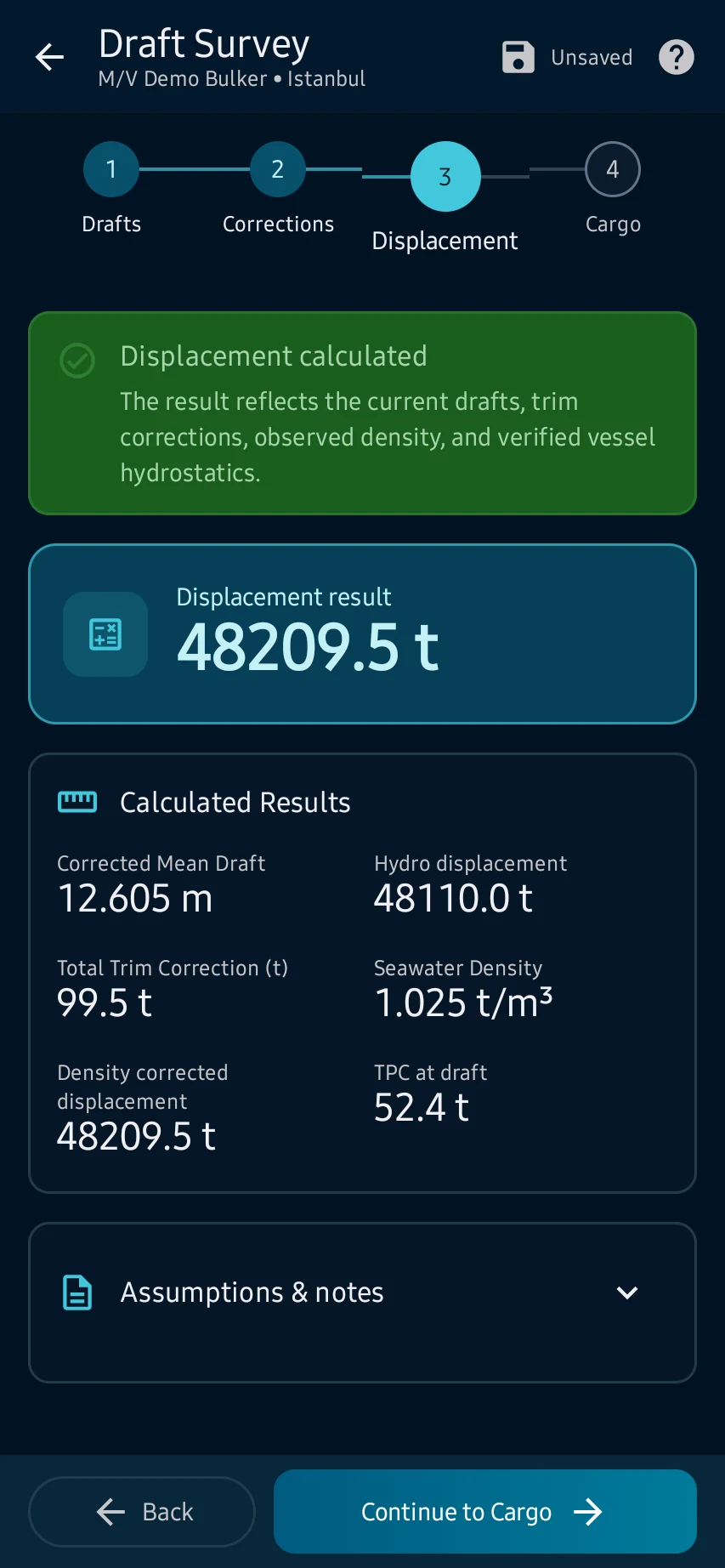
Displacement: magpatuloy pagkatapos ng mensahe ng app at suriin ang corrected mean draft, trim, density correction, hydrostatic interpolation at computed displacement.
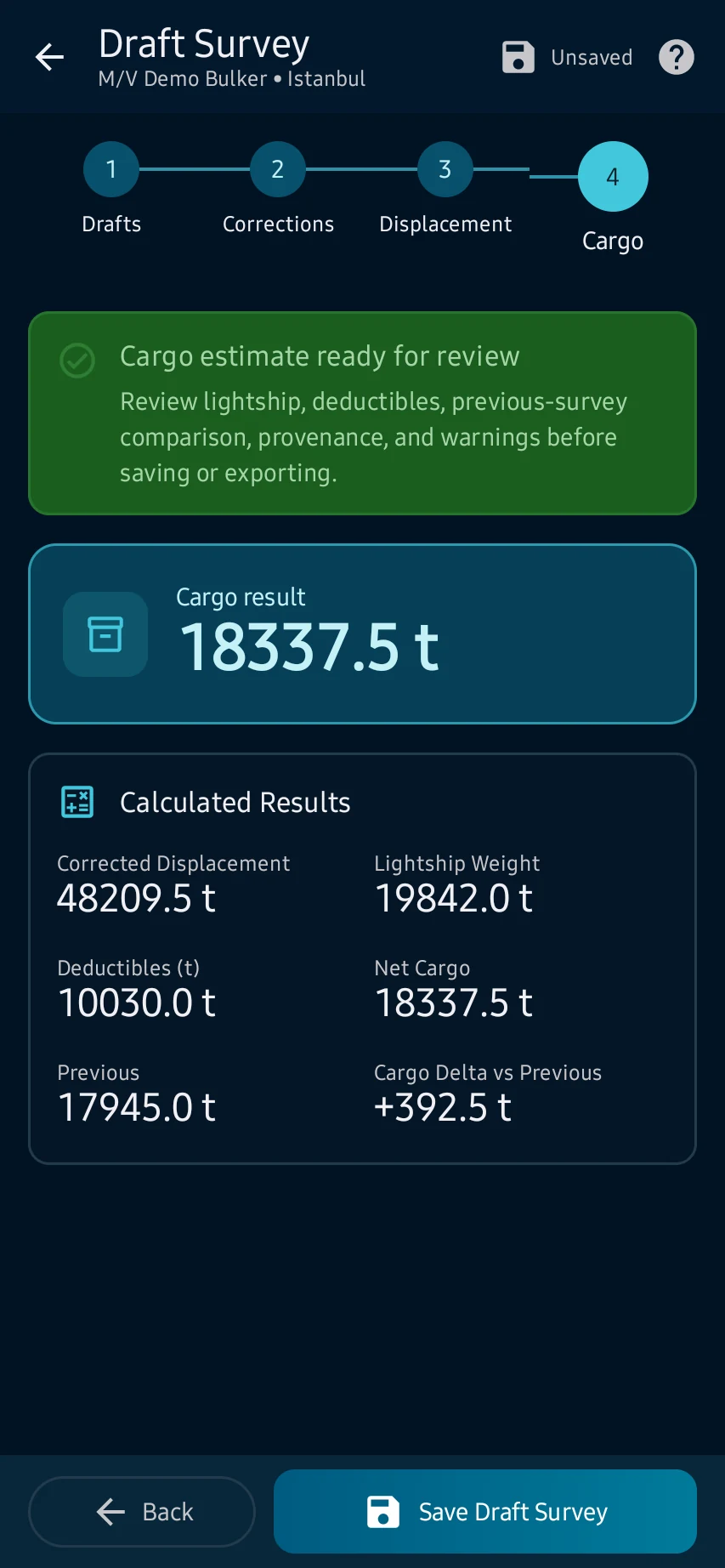
Cargo: ihambing ang displacement sa lightship, deductibles at previous survey; ayusin ang warnings, i-verify sa approved sources, saka mag-save o mag-export.
Tingnan ang pangunahing mga screen
01
Drafts: buksan ang Stability → Draft Survey, piliin ang tamang vessel at survey type, pagkatapos ay ilagay ang port at anim na forward, midship at aft draft readings.
02
Corrections: suriin ang mean draft at trim correction, ilagay ang dock-water density at gumamit lamang ng applicable at source-backed deductibles.
03
Displacement: magpatuloy pagkatapos ng mensahe ng app at suriin ang corrected mean draft, trim, density correction, hydrostatic interpolation at computed displacement.
04
Cargo: ihambing ang displacement sa lightship, deductibles at previous survey; ayusin ang warnings, i-verify sa approved sources, saka mag-save o mag-export.
Cargo: ihambing ang displacement sa lightship, deductibles at previous survey; ayusin ang warnings, i-verify sa approved sources, saka mag-save o mag-export.