Suriin ang stability case mula load plan hanggang result
Piliin ang vessel/condition, ilagay ang measurements, ayusin ang warnings, ihambing sa approved criteria at i-save ang record.
Bago magsimula
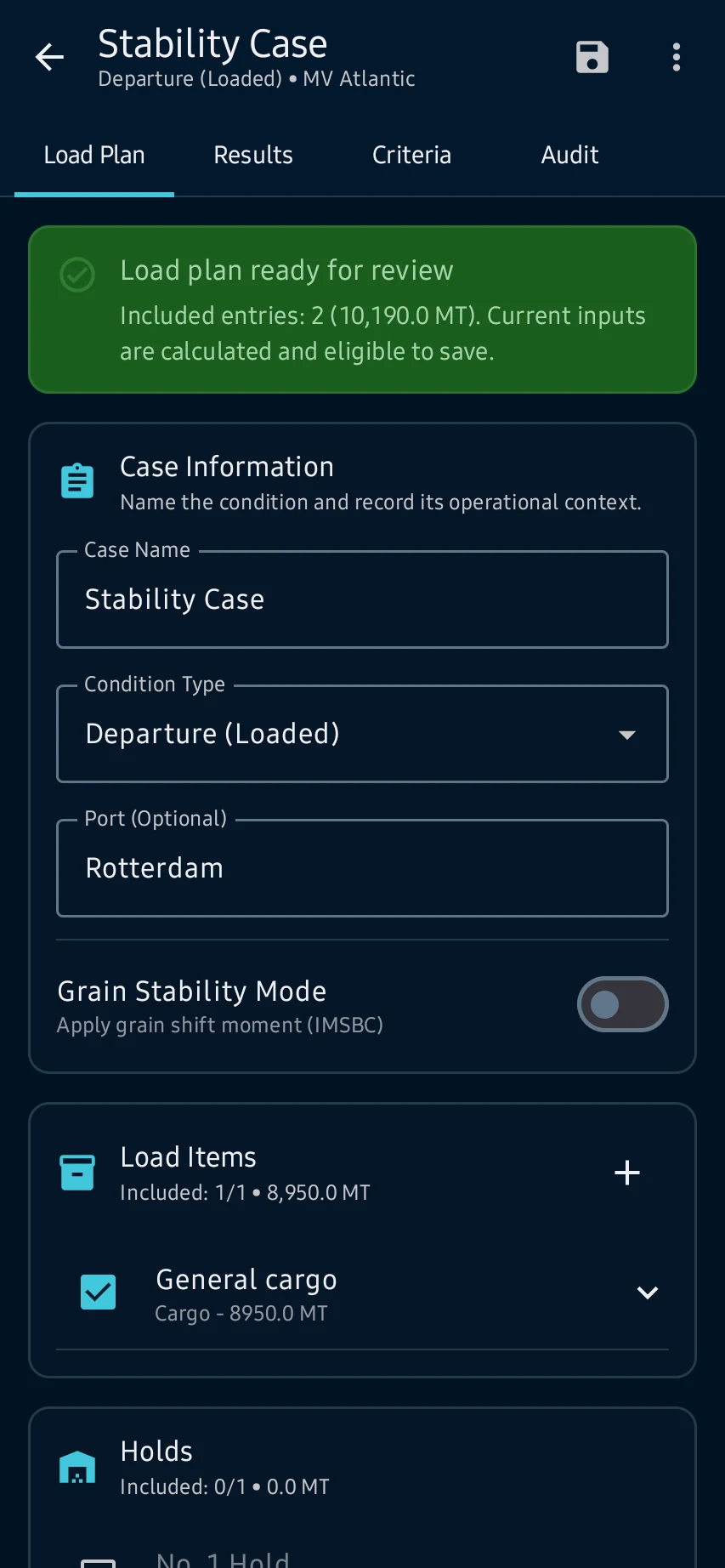
Load Plan: buksan ang Stability, piliin ang active vessel at case, pagkatapos ay suriin ang weights, centers, tanks, hydrostatic source at readiness messages.
Mga hakbang sa app
Load Plan: buksan ang Stability, piliin ang active vessel at case, pagkatapos ay suriin ang weights, centers, tanks, hydrostatic source at readiness messages.
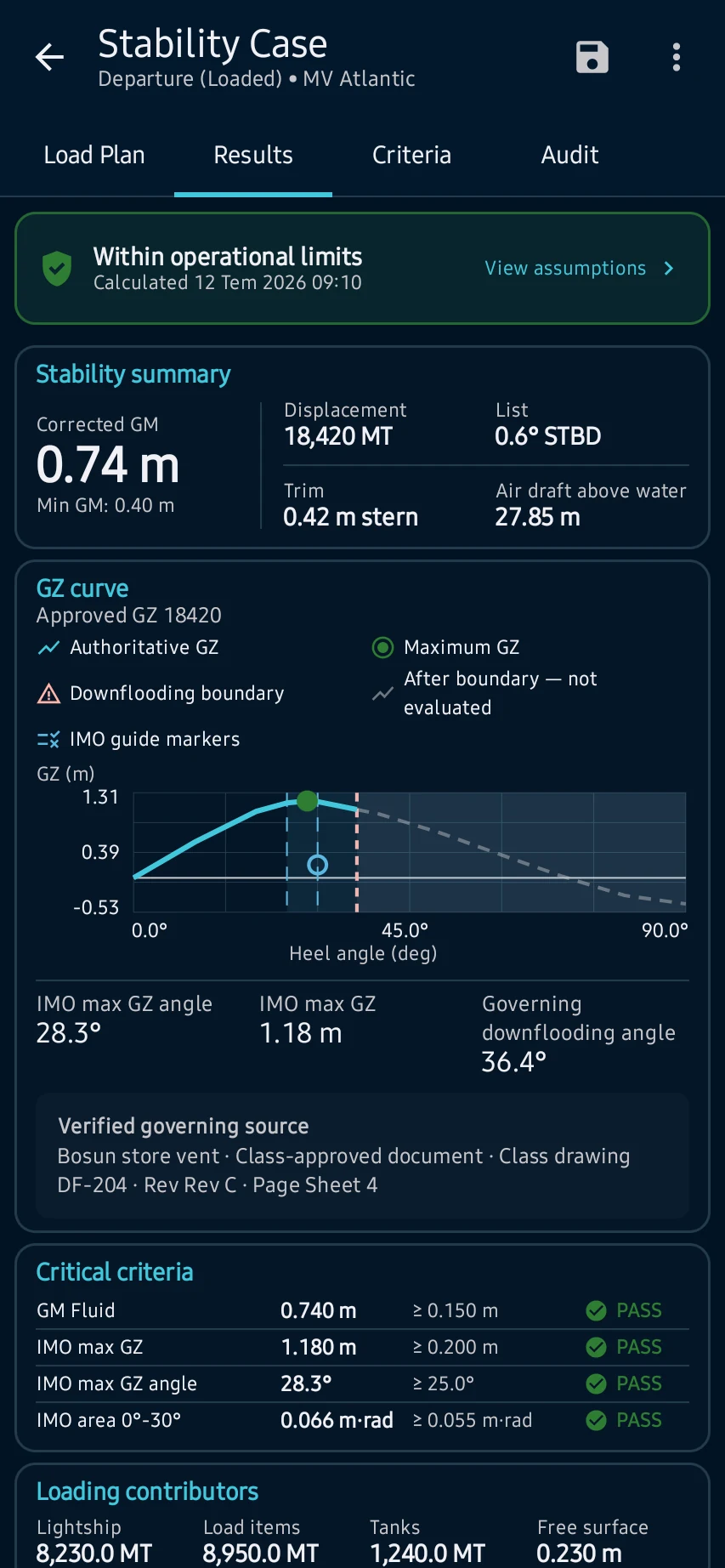
Results: kalkulahin ang condition at suriin ang displacement, KG, corrected GM, GZ curve, assumptions, contributors at operational warnings.
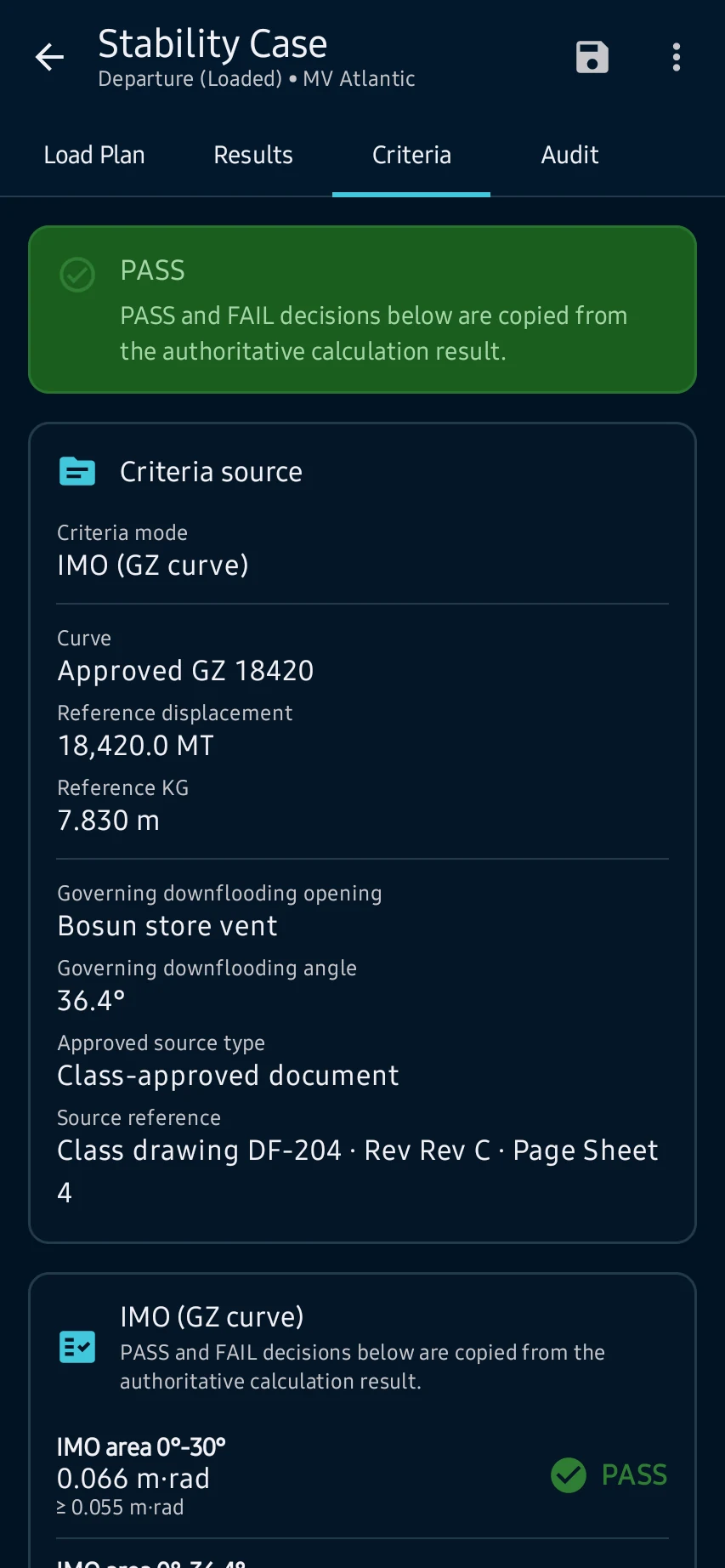
Criteria: ihambing ang corrected GM, GZ areas, range at downflooding evidence sa applicable approved criterion set at source nito.
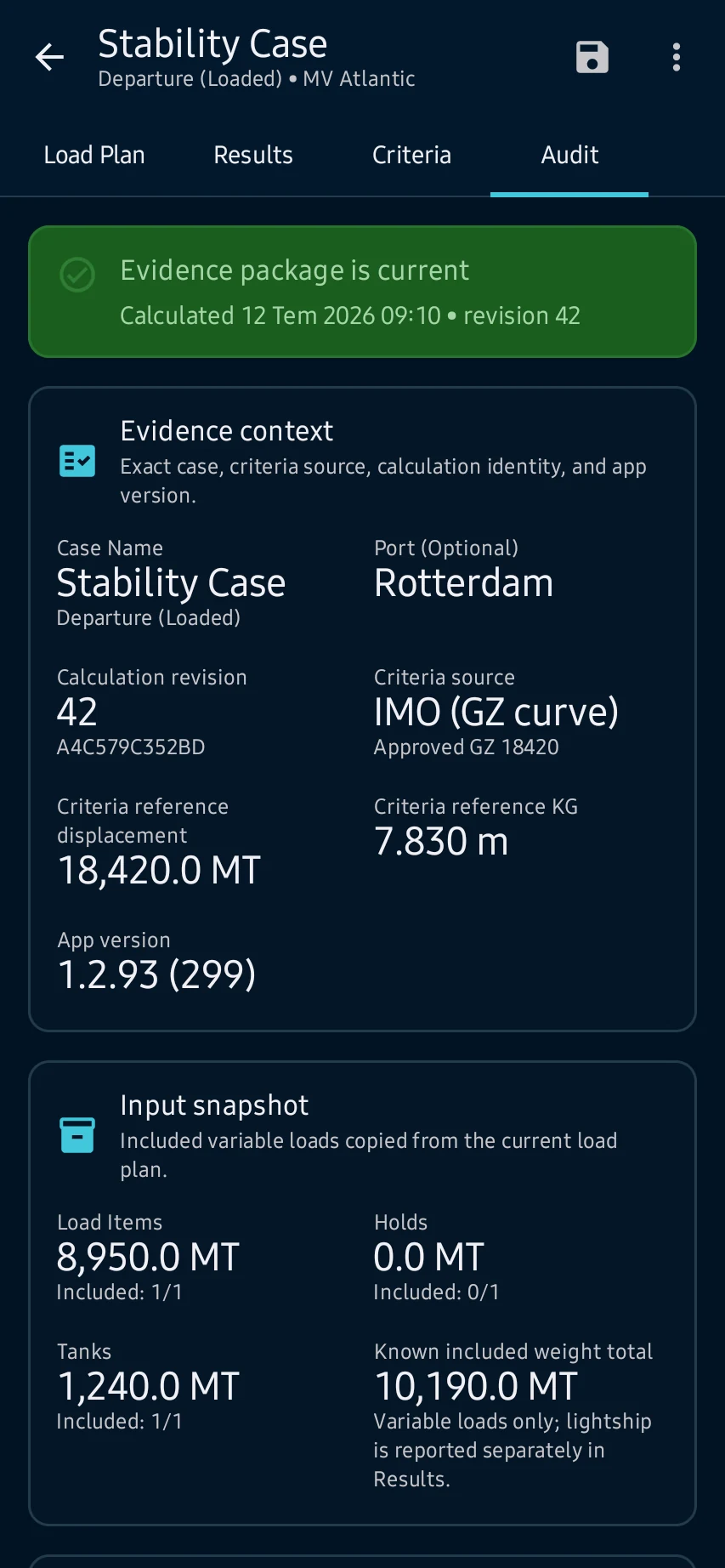
Huling pagsusuri: tiyakin ang entered values at sources, timestamps at detalye ng calculation; ayusin ang incomplete o failed states bago mag-save o mag-export.
Tingnan ang pangunahing mga screen
01
Load Plan: buksan ang Stability, piliin ang active vessel at case, pagkatapos ay suriin ang weights, centers, tanks, hydrostatic source at readiness messages.
02
Results: kalkulahin ang condition at suriin ang displacement, KG, corrected GM, GZ curve, assumptions, contributors at operational warnings.
03
Criteria: ihambing ang corrected GM, GZ areas, range at downflooding evidence sa applicable approved criterion set at source nito.
04
Huling pagsusuri: tiyakin ang entered values at sources, timestamps at detalye ng calculation; ayusin ang incomplete o failed states bago mag-save o mag-export.
Huling pagsusuri: tiyakin ang entered values at sources, timestamps at detalye ng calculation; ayusin ang incomplete o failed states bago mag-save o mag-export.