
Celestial Navigation Calculator: Complete Step-by-Step Guide
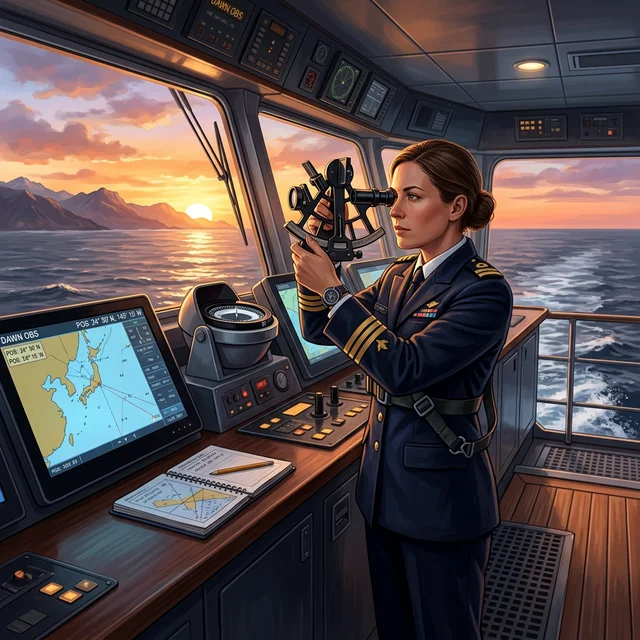
Master sextant observations and position fixing using modern celestial navigation calculators. Learn the 5-step process with real vessel data and practical examples.
Reference basis: IMO/COLREG/STCW concepts, nautical practice, approved ship documents, and CaptainCalc calculation notes. Always verify operational decisions with official sources.
Why Celestial Navigation Still Matters
Celestial navigation is independent, requires no external signals, and works offline—critical for backup navigation when GPS fails. Maritime regulations require professional navigators to maintain competency in celestial navigation.
A celestial navigator can:
- Verify GPS position accuracy (cross-checks)
- Navigate if GPS fails or is jammed
- Maintain professional competency (STCW requirement)
- Assess the fix from observation quality, geometry and independent cross-checks
For merchant vessels operating in strategic areas, celestial navigation is not optional—it's a regulatory requirement and a survival skill.
The Celestial Navigation Process (5 Steps)
Celestial navigation follows a structured 5-step process, from raw sextant observation to final position fix:
| Step | Action | Output |
|---|---|---|
| 1. Observation | Measure altitude with sextant | Raw sextant angle |
| 2. Corrections | Apply index error, dip, refraction | Observed altitude (Ho) |
| 3. Ephemeris | Get GHA & declination from Almanac | Celestial coordinates |
| 4. Sight Reduction | Calculate predicted altitude & azimuth | Intercept (Ho - Hc) |
| 5. Position Fixing | Plot 2+ lines of position | Ship's Fix |
Worked Example: Morning Sun Observation
Scenario: Your vessel is 200 nm from Singapore. At 0600 UTC on March 2, 2026, you take a morning sun observation.
Step 1: Record Your Observation
- Sextant Reading (Hs): 28° 42.5'
- Index Error: -1.2' (Off-the-arc)
- Height of Eye: 12 meters
- Time: 06:00:15 UTC
- Vessel Position (DR): 1°15'N, 103°30'E
Step 2: Apply Corrections
- Index Error: -1.2'
- Dip (height of eye correction): -6.3'
- Refraction & Semi-diameter: +15.2'
- Observed Altitude (Ho) = 28° 50.2'
Step 3: Get Ephemeris Data
- GHA Sun: 85° 28.3'
- Declination: 0° 05.2'S
- Time Increment: 0° 03.8' (for 15 seconds)
Step 4: Calculate Position Line
- Assumed Position: 1°15'N, 103°30'E
- Calculated Altitude (Hc): 28° 51.0'
- Intercept (a): Ho - Hc = -0.8' (AWAY from the Sun)
- Azimuth (Zn): 088°
Plot: Because Hc exceeds Ho by 0.8', move 0.8 NM from the assumed position along 268°, the reciprocal of Zn 088°. Draw the LOP through that point perpendicular to the azimuth, approximately 178°-358°.
Step 5: Get Your Fix
After a second observation of Polaris 20 minutes later, the crossing of the two position lines gives you: 1°16.4'N, 103°31.2'E
Common Mistakes & Prevention
| Mistake | Impact | Prevention |
|---|---|---|
| Wrong index error sign | ±1-2 nm error | Check daily; remember "off-the-arc is minus" |
| Incorrect height of eye | ±3-5 nm error | Re-measure from chart datum; don't estimate |
| Wrong time entry (UTC confusion) | ±5-15 nm error | Always work in UTC; use chronometer check |
| Intercept direction reversed | Fix on opposite side | Use the full rule: Ho > Hc is Toward; Ho < Hc is Away. |
| Using outdated almanac | ±10-30 nm error | Update ephemeris data yearly; use SOFA |
Using CaptainCalc for Celestial Navigation
CaptainCalc automates the calculation steps (2-4) for you:
- Automatic corrections: Index error, dip, refraction all applied instantly
- SOFA/JPL ephemeris: the archived 2026 run contains 924 comparisons against USNO API reference values, all within declared 0.1′/0.2′/0.3′ field tolerances; this shows bounded agreement, not superiority or guaranteed fix accuracy
- Intercept calculation: Both direction and distance computed instantly
- Offline operation: No internet required at sea
- Mobile-friendly: Works on bridge tablet or phone
For merchant vessels, this reduces sight reduction time from 15 minutes (by hand) to 30 seconds—saving time and reducing calculation errors.
Key Glossary Terms
Important maritime terms related to celestial navigation:
- Celestial Navigation: Position fixing using celestial bodies (sun, moon, stars)
- Sextant: Instrument for measuring altitude of celestial bodies
- Line of Position (LOP): Circle of equal altitude projected on Earth
- Intercept Method: Modern sight reduction using St. Hilaire method
- Nautical Almanac: Ephemeris data source for celestial calculations
- Dead Reckoning (DR): Position estimated by course and distance
- GHA: Greenwich Hour Angle—celestial body's longitude
Frequently Asked Questions
How often should I practice celestial navigation?
STCW requires annual refresher training. For competency maintenance, take 3-4 observations per voyage. Daily practice keeps your skills sharp and improves accuracy.
What's the best time to observe celestial bodies?
Twilight observations (morning/evening) are ideal—the sun is near the horizon and stars are visible. Morning sun observations at sunrise; evening stars at sunset. Polaris observations work any clear night.
Can celestial navigation replace GPS?
No. It's slower and less convenient, but it's independent and required as a backup. Think of celestial navigation as "insurance" against GPS failure or jamming.
What accuracy should I expect?
No single accuracy figure can be promised. Observation, horizon, time, instrument corrections, geometry and operator technique all affect a fix; verify it independently and keep uncertainty visible.
Related Articles
Continue your maritime education:
Related Calculators
Sources and verification
Use these references as the starting point for verification; always follow current flag-state, company, port, and approved shipboard documents for operational decisions.
Continue this workflow in CaptainCalc
Use the Android app to keep the calculation, source context and operational record together.

See how CaptainCalc handles this task
Explore what the app offers, follow the steps on screen, or learn what each result means.