
STEP-BY-STEP GUIDE

Use tides, currents and UKC

Select a station or coordinates, check the source, datum, confidence and validity, then review height or current. For UKC, enter draft, squat and safety margins and save the result with its source details.

Before you start

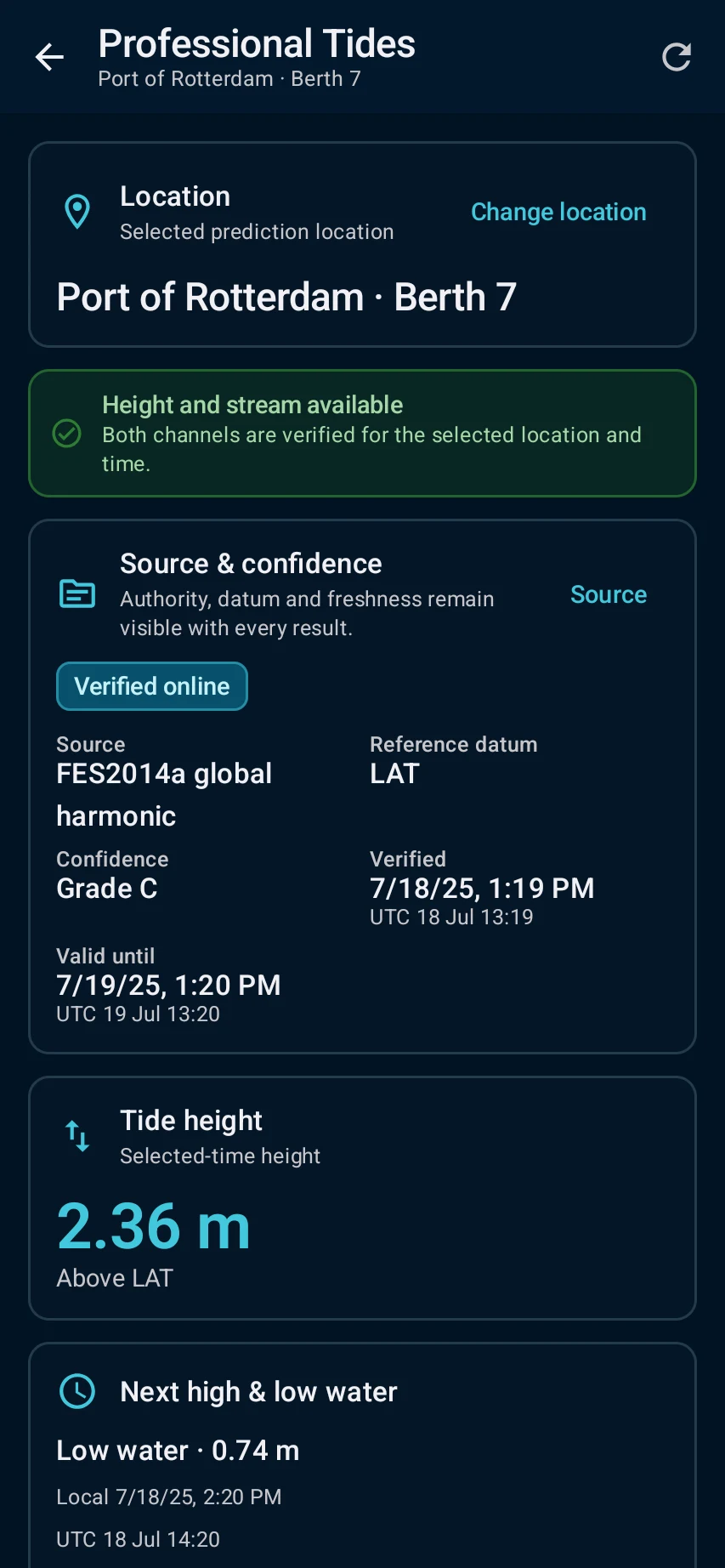
Tides & UKC → select a station or coordinates and confirm that the required source or offline pack is available.
App steps

  1. Tides & UKC → select a station or coordinates and confirm that the required source or offline pack is available.
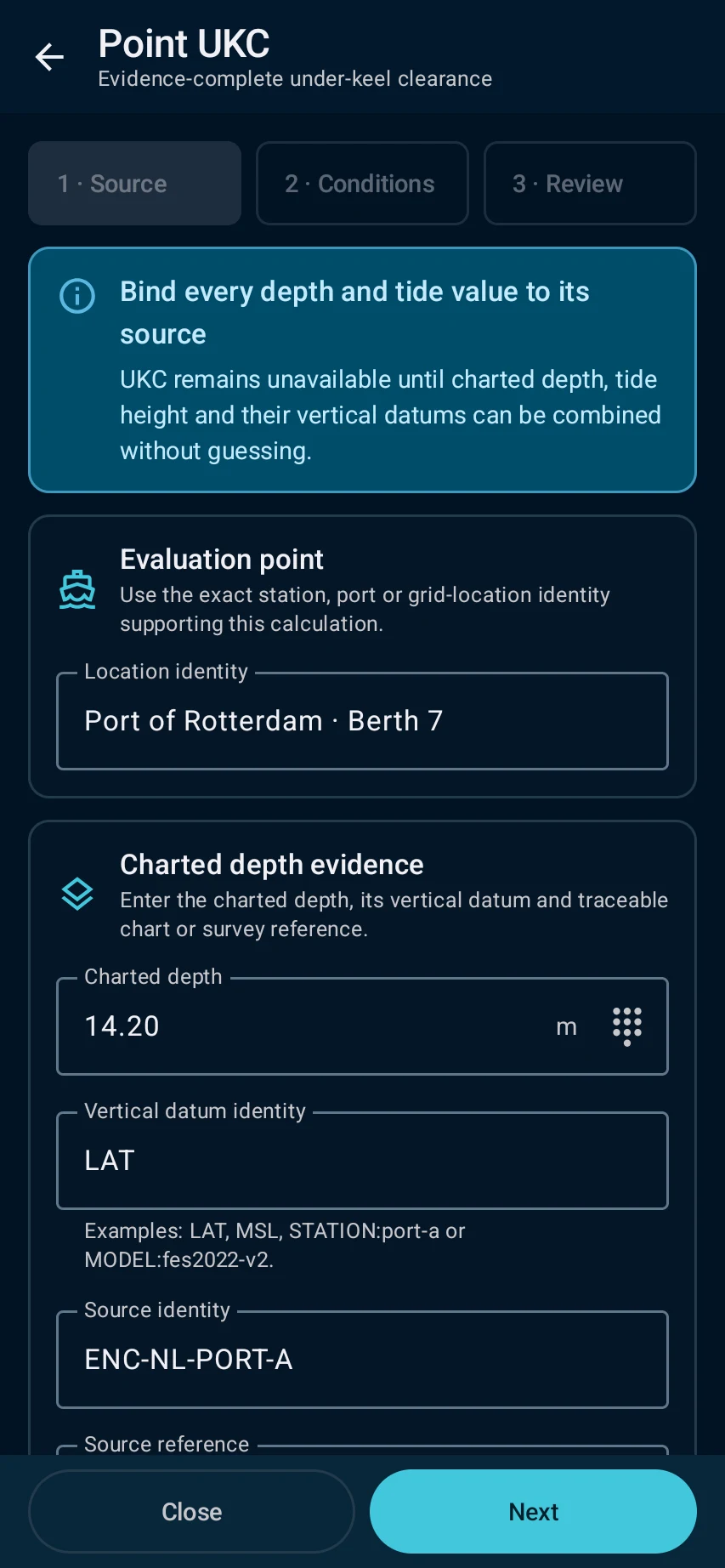
  2. Check provider, datum, time basis, validity and confidence; for a training UKC check enter clearly labelled example draft, STW-based squat and safety margins.
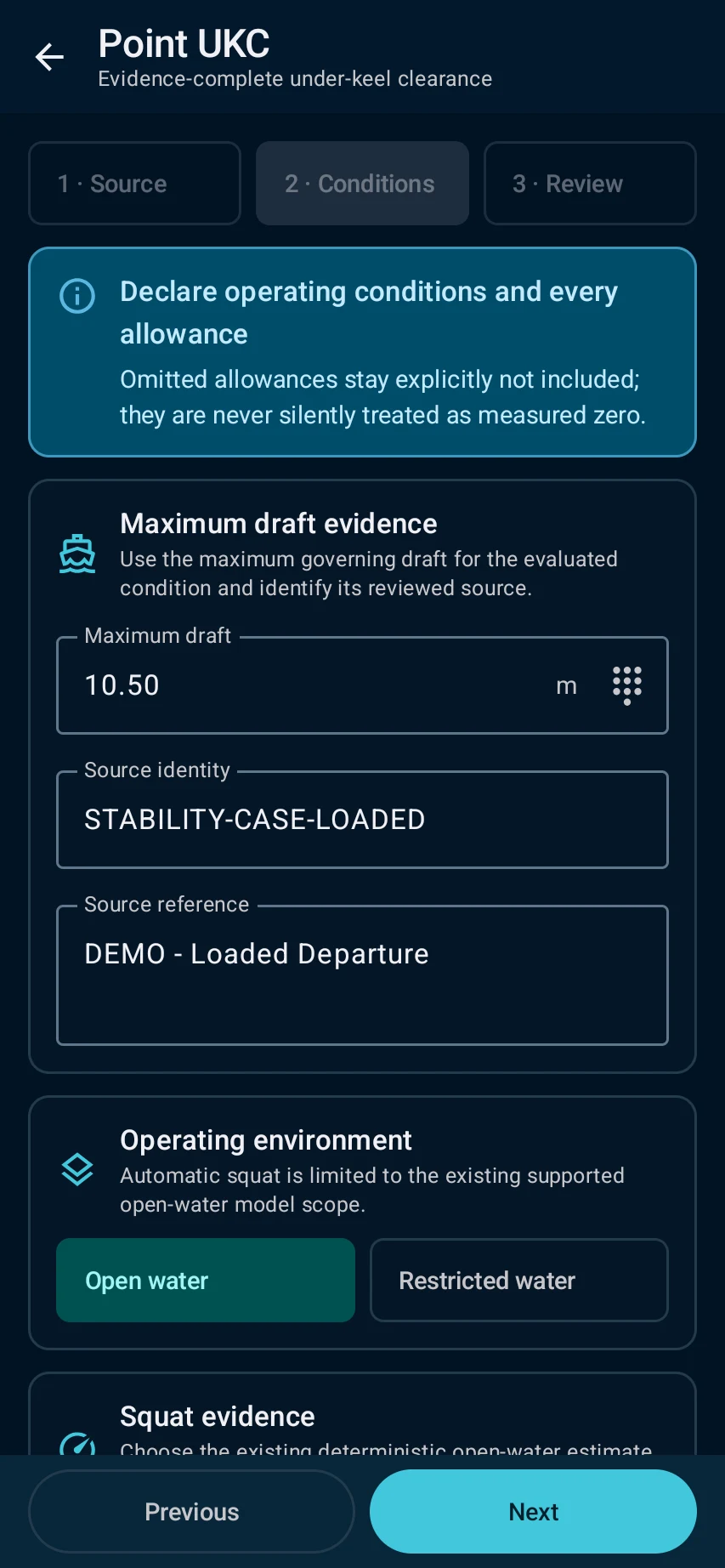
  3. tide/current and net UKC remain linked to their source details, assumptions and selected time.
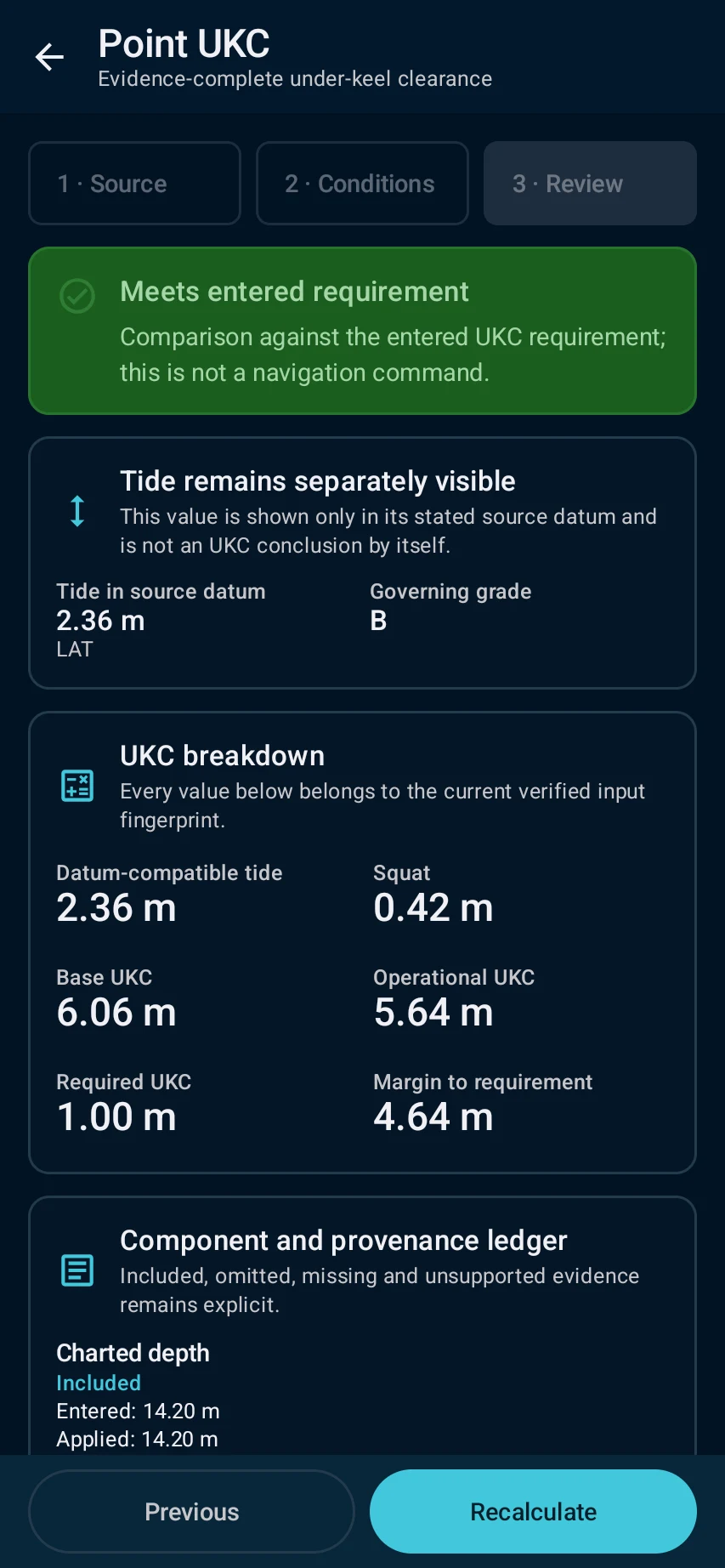
  4. Resolve expired, unverified or missing-source states before saving. Compare operational limits with approved vessel, port and company information.

See the main screens

01

Tides & UKC → select a station or coordinates and confirm that the required source or offline pack is available.

Use tides, currents and UKC: Tides & UKC → select a station or coordinates and confirm that the required source or offline pack is available.
02

Check provider, datum, time basis, validity and confidence; for a training UKC check enter clearly labelled example draft, STW-based squat and safety margins.

Use tides, currents and UKC: Check provider, datum, time basis, validity and confidence; for a training UKC check enter clearly labelled example draft, STW-based squat and safety margins.
03

tide/current and net UKC remain linked to their source details, assumptions and selected time.

Use tides, currents and UKC: tide/current and net UKC remain linked to their source details, assumptions and selected time.
04

Resolve expired, unverified or missing-source states before saving. Compare operational limits with approved vessel, port and company information.

Use tides, currents and UKC: Resolve expired, unverified or missing-source states before saving. Compare operational limits with approved vessel, port and company information.

Practical learning and web tools

What you'll see

Resolve expired, unverified or missing-source states before saving. Compare operational limits with approved vessel, port and company information.

CaptainCalc is decision support. It never replaces approved stability data, loading computers, ECDIS, official publications, procedures or professional judgment.

Get CaptainCalc on Google Play

Freemium keeps essential online tools available with ads. Premium removes ads, raises limits and unlocks the complete offline professional workspace.

Get it on Google Play