USER GUIDE
Use celestial and bridge calculators
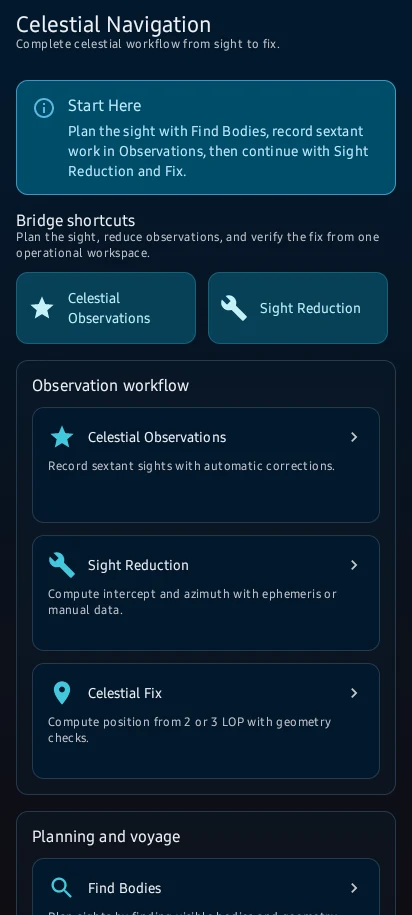
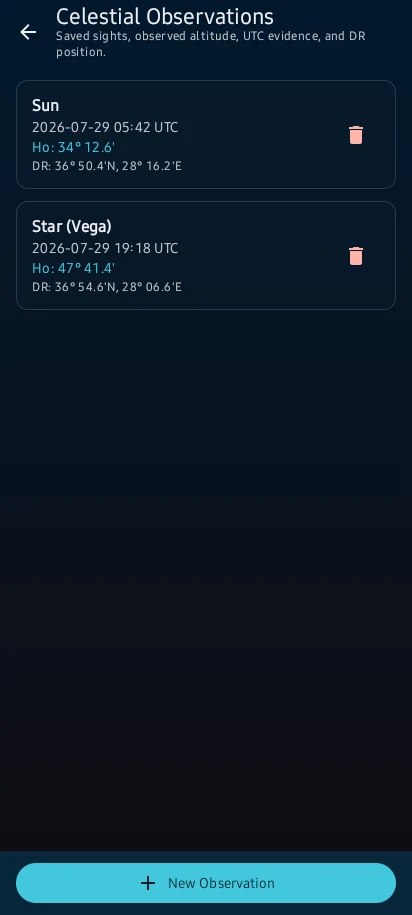
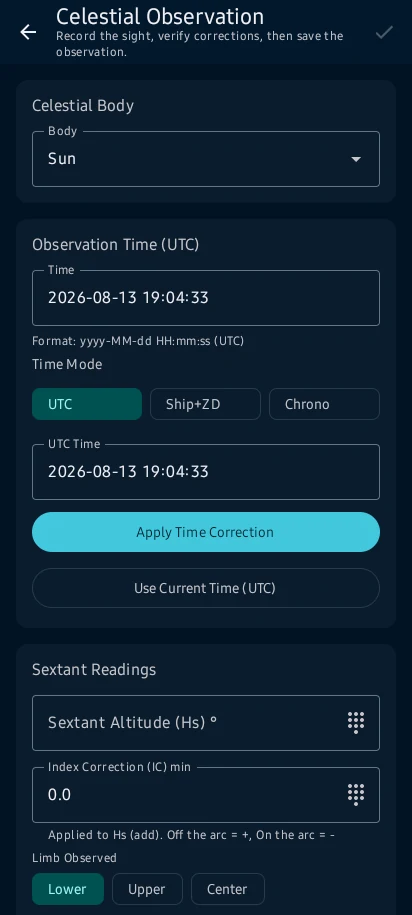
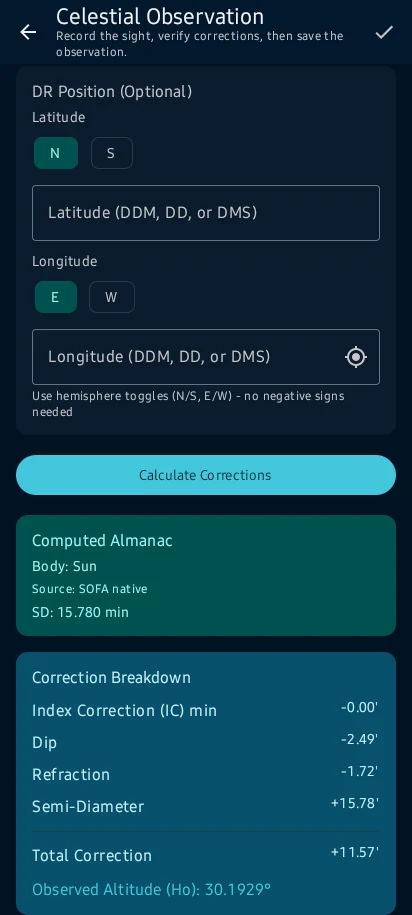
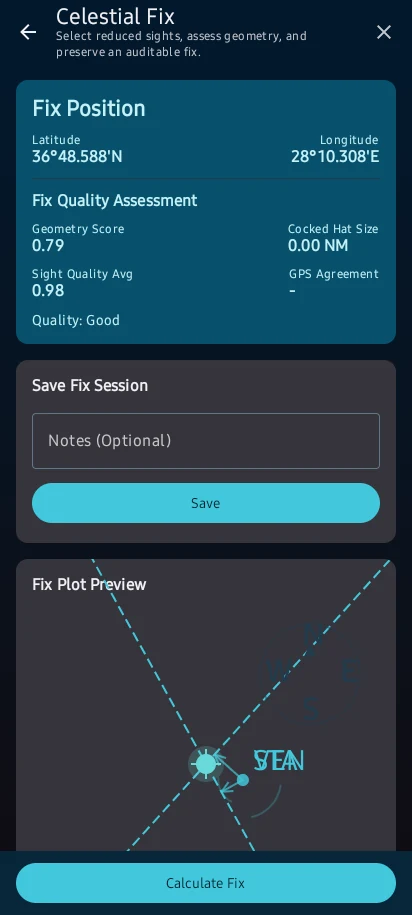
Create observations with UTC time, DR position, body and sextant inputs; apply corrections, reduce sights and combine LOPs into a fix. Use quick calculators for repeatable bridge checks and save key results.
How to interpret it safely
Create observations with UTC time, DR position, body and sextant inputs; apply corrections, reduce sights and combine LOPs into a fix. Use quick calculators for repeatable bridge checks and save key results.
The user guide explains what the information means, how the result is produced and which warnings or limits matter.
See the main screens
Practical learning and web tools
What to know before you use it
How to use this feature well
Reduce each sight from time, sextant corrections, assumed position and almanac data; interpret intercept direction and multi-LOP geometry separately from ephemeris agreement.
Where the information comes from
Use celestial and bridge calculators: Before using a result, check its provider, datum, time basis, confidence and installed-data details.
Check your inputs
Use celestial and bridge calculators: Complete missing information and correct inconsistent or out-of-range vessel, position and calculation values.
Understand the calculation
Use celestial and bridge calculators: Keep the units, vessel particulars, time zone and selected method in view when reading a result or export.
When to stop and review
Use celestial and bridge calculators: Read each warning, correct its cause and recalculate before continuing.
Use it within its limits
Use celestial and bridge calculators: CaptainCalc supports decisions; approved vessel documents, official publications and the master's judgement remain authoritative.
Continue learning
CaptainCalc is decision support. It never replaces approved stability data, loading computers, ECDIS, official publications, procedures or professional judgment.
Get CaptainCalc on Google Play
Freemium keeps essential online tools available with ads. Premium removes ads, raises limits and unlocks the complete offline professional workspace.