
STEP-BY-STEP GUIDE

Prepare GMDSS work

Choose distress, urgency or safety, complete the DSC worksheet, run readiness checks and create authorized log records. Use MSI/NAVTEX and station information as decision support only; transmit using certified equipment and approved procedures.

Before you start

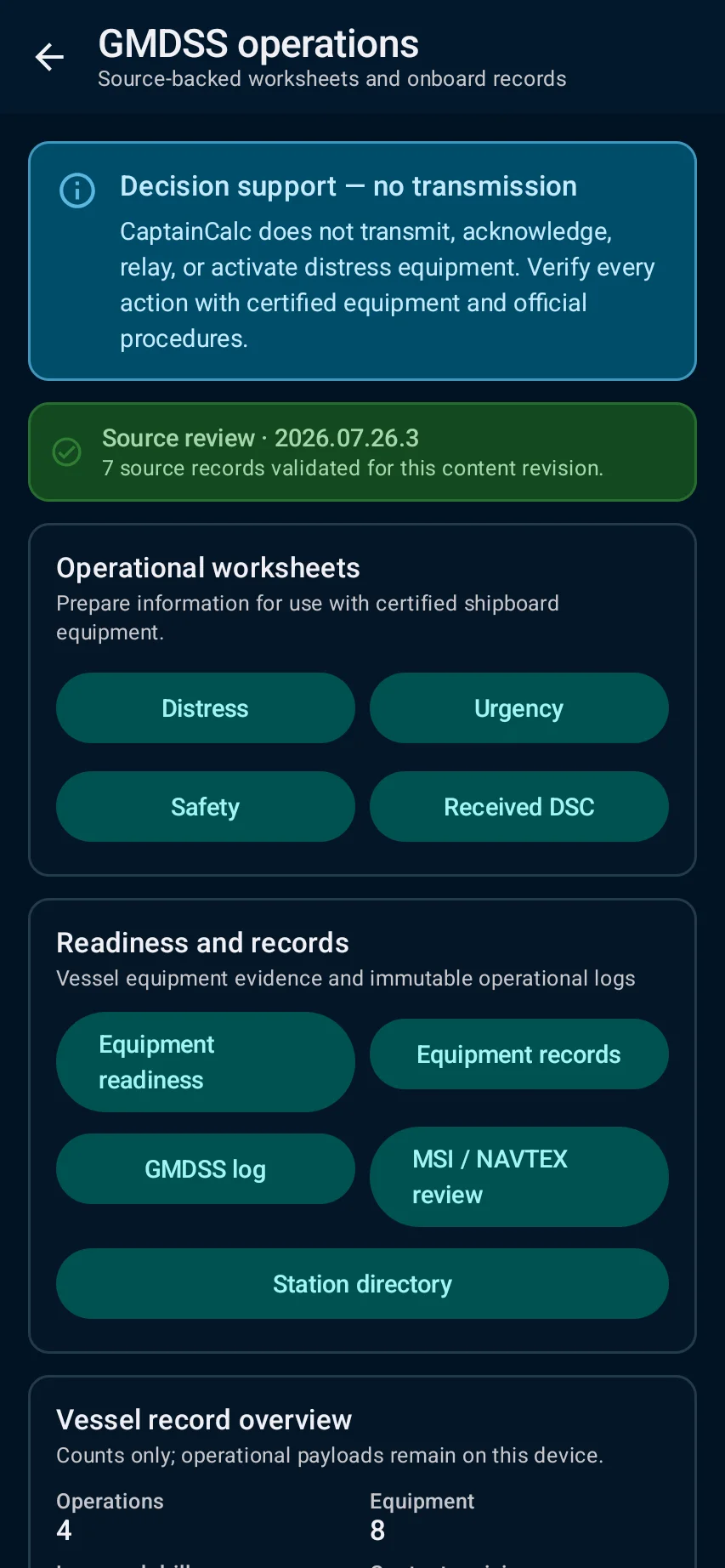
GMDSS → select the DSC worksheet, readiness, radio-log, station or MSI/NAVTEX task you actually need.
App steps

  1. GMDSS → select the DSC worksheet, readiness, radio-log, station or MSI/NAVTEX task you actually need.
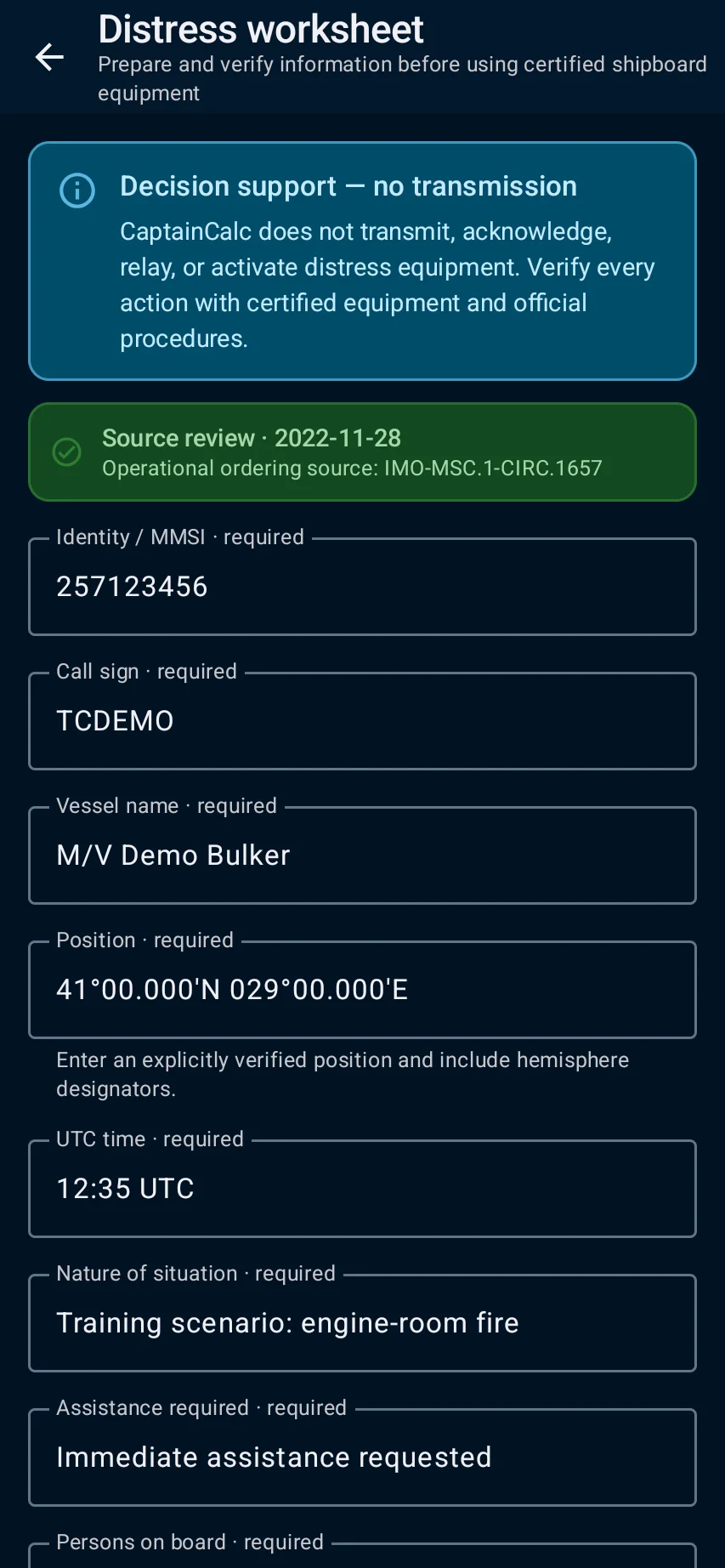
  2. For training, use example nature, area, UTC and position details; confirm equipment readiness and the source/version of station information.
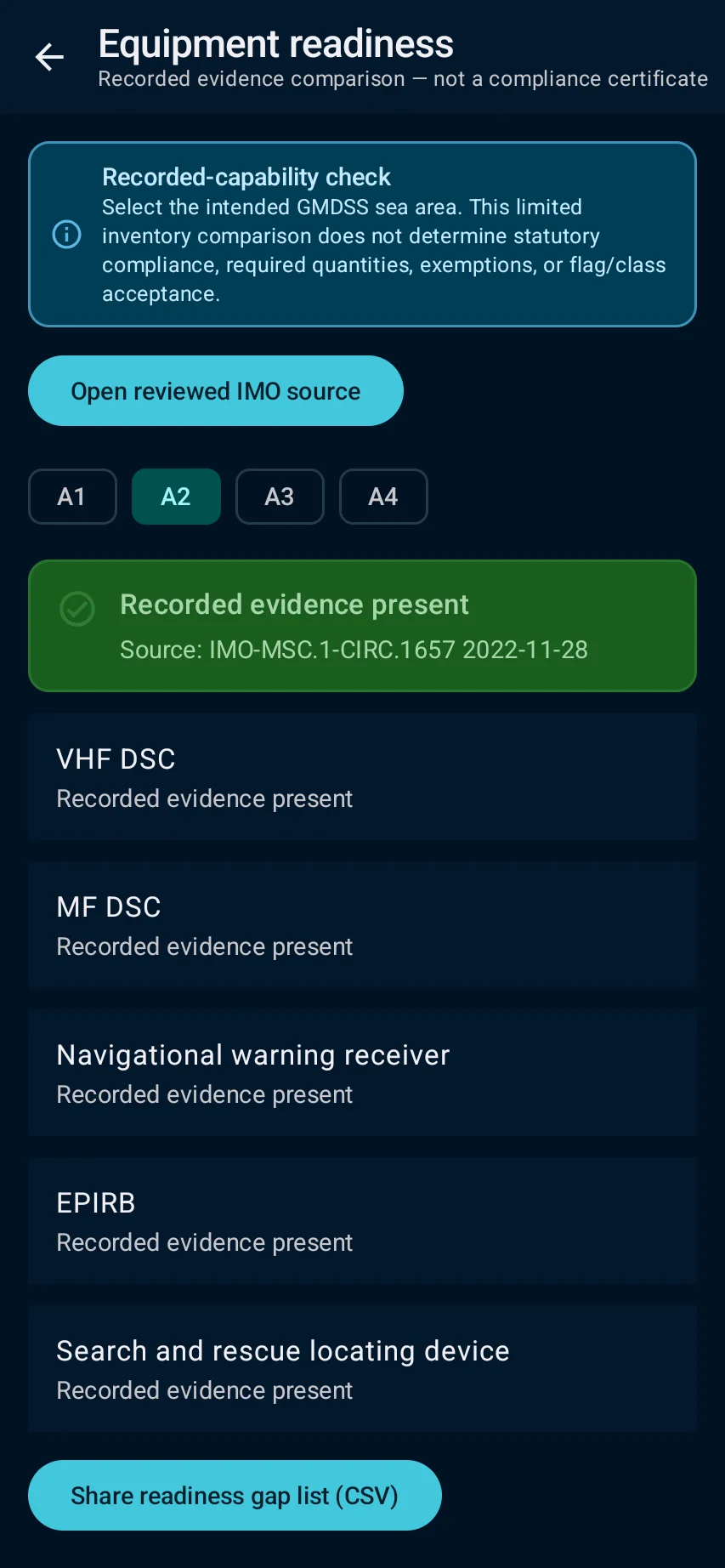
  3. the app prepares a worksheet or authorized record and shows missing fields; it never transmits or controls radio equipment.
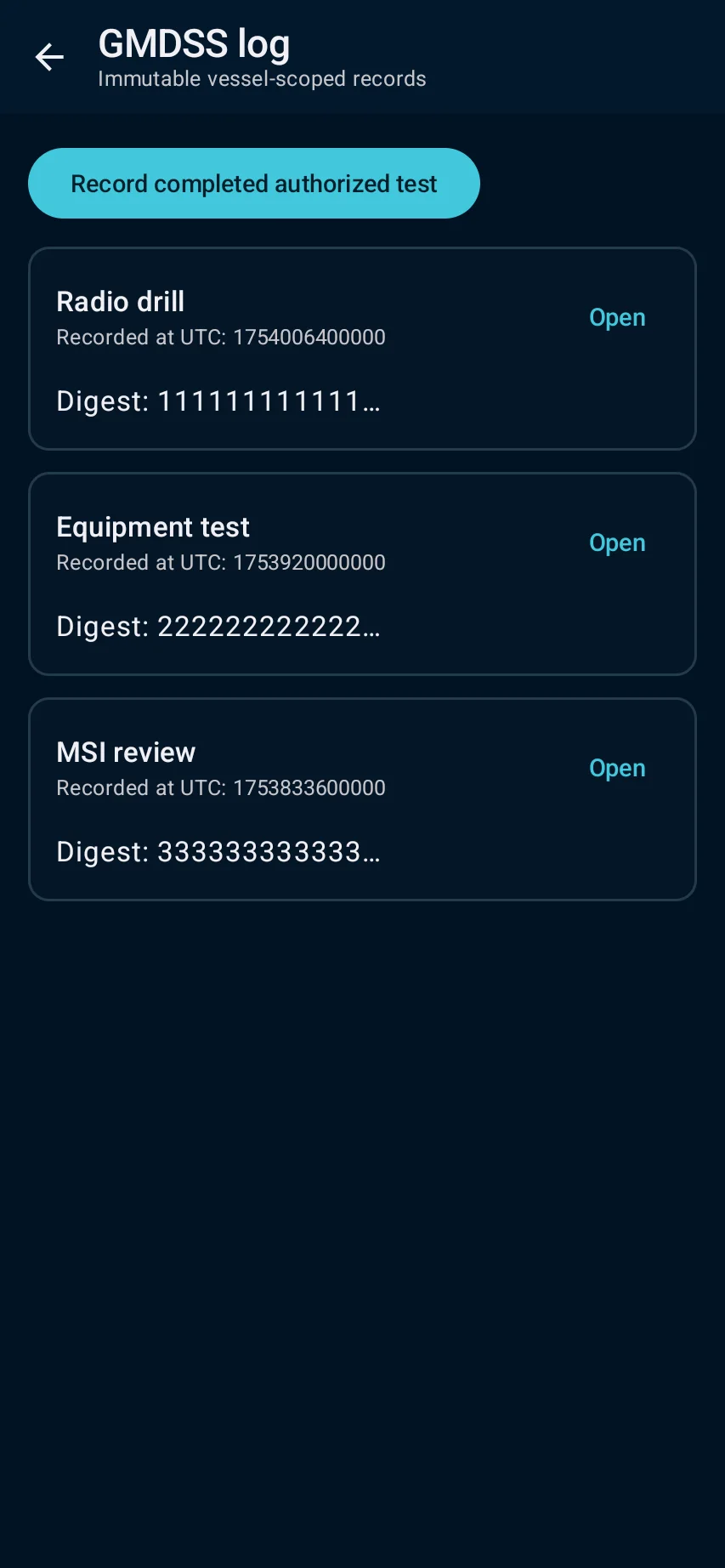
  4. Resolve incomplete or stale-source warnings, then save only an authorized log record. Make transmissions with certified equipment and approved procedures.

See the main screens

01

GMDSS → select the DSC worksheet, readiness, radio-log, station or MSI/NAVTEX task you actually need.

Prepare GMDSS work: GMDSS → select the DSC worksheet, readiness, radio-log, station or MSI/NAVTEX task you actually need.
02

For training, use example nature, area, UTC and position details; confirm equipment readiness and the source/version of station information.

Prepare GMDSS work: For training, use example nature, area, UTC and position details; confirm equipment readiness and the source/version of station information.
03

the app prepares a worksheet or authorized record and shows missing fields; it never transmits or controls radio equipment.

Prepare GMDSS work: the app prepares a worksheet or authorized record and shows missing fields; it never transmits or controls radio equipment.
04

Resolve incomplete or stale-source warnings, then save only an authorized log record. Make transmissions with certified equipment and approved procedures.

Prepare GMDSS work: Resolve incomplete or stale-source warnings, then save only an authorized log record. Make transmissions with certified equipment and approved procedures.

Practical learning and web tools

What you'll see

Resolve incomplete or stale-source warnings, then save only an authorized log record. Make transmissions with certified equipment and approved procedures.

CaptainCalc is decision support. It never replaces approved stability data, loading computers, ECDIS, official publications, procedures or professional judgment.

Get CaptainCalc on Google Play

Freemium keeps essential online tools available with ads. Premium removes ads, raises limits and unlocks the complete offline professional workspace.

Get it on Google Play